
All in One Printer User Manual
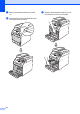
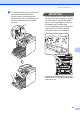
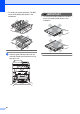
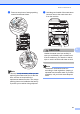
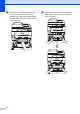
Table Of Contents
- BASIC USER’S GUIDE DCP-9055CDN
- User's Guides and where do I find it?
- Table of Contents
- 1 General information
- 2 Loading paper
- 3 Loading documents
- 4 Making copies
- 5 How to print from a computer
- 6 How to scan to a computer
- A Routine maintenance
- B Troubleshooting
- Error and maintenance messages
- Document is jammed in the top of the ADF unit
- Document is jammed under the document cover
- Removing small documents jammed in the ADF
- Document is jammed at the output tray
- Paper is jammed in the MP tray
- Paper is jammed in the Paper Tray 1 or Tray 2
- Paper is jammed at the back of the machine
- Paper is jammed inside the machine
- Paper is jammed underneath paper tray 1
- Troubleshooting
- Machine Information
- Error and maintenance messages
- C Menu and features
- D Specifications
- Index
- brother ARL/ASA/NZ/SAF/GLF
Routine maintenance
57
A
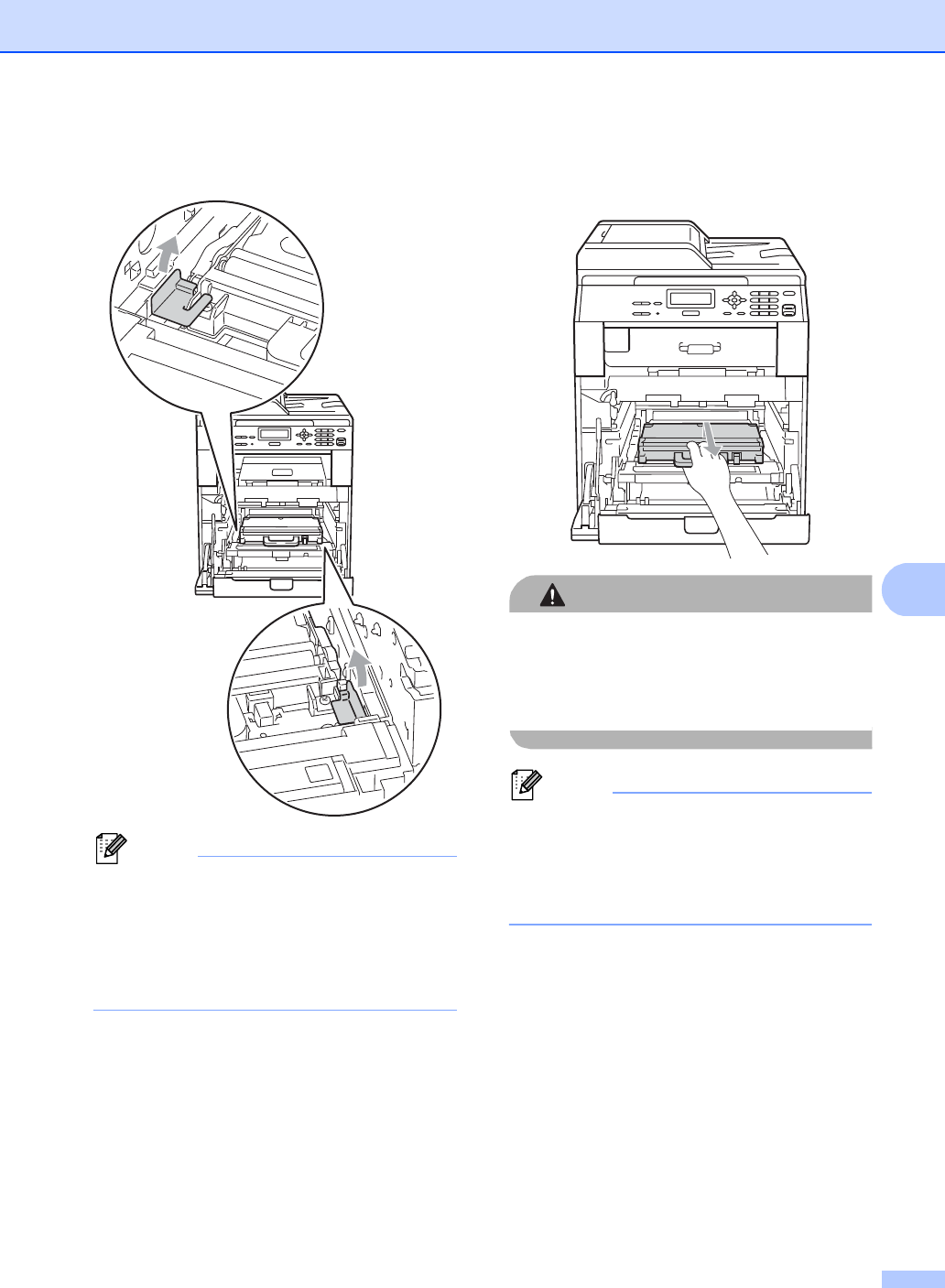
f Remove two pieces of orange packing
material and discard them.
Note
This step is only necessary when you are
replacing the waste toner box for the first
time, and are not required for the
replacement waste toner box. The orange
packing pieces are installed at the factory
to protect your machine during shipment.
g Hold the green handle of the waste toner
box and remove the waste toner box
from the machine.
CAUTION
Handle the waste toner box carefully in
case you accidentally spill or scatter toner.
If toner scatters on your hands or clothes,
wipe or wash it off with cold water at once.
Note
Discard the used waste toner box
according to local regulations, keeping it
separate from domestic waste. If you have
questions, call your local waste disposal
office.