
All in One Printer User Manual
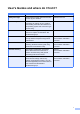
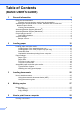


Table Of Contents
- BASIC USER’S GUIDE DCP-9055CDN
- User's Guides and where do I find it?
- Table of Contents
- 1 General information
- 2 Loading paper
- 3 Loading documents
- 4 Making copies
- 5 How to print from a computer
- 6 How to scan to a computer
- A Routine maintenance
- B Troubleshooting
- Error and maintenance messages
- Document is jammed in the top of the ADF unit
- Document is jammed under the document cover
- Removing small documents jammed in the ADF
- Document is jammed at the output tray
- Paper is jammed in the MP tray
- Paper is jammed in the Paper Tray 1 or Tray 2
- Paper is jammed at the back of the machine
- Paper is jammed inside the machine
- Paper is jammed underneath paper tray 1
- Troubleshooting
- Machine Information
- Error and maintenance messages
- C Menu and features
- D Specifications
- Index
- brother ARL/ASA/NZ/SAF/GLF

i
User's Guides and where do I find it?
Which manual? What's in it? Where is it?
Safety and Legal Please read the Safety Instructions before
you set up your machine.
Printed / In the box
Quick Setup Guide Read this Guide first. Follow the
instructions for setting up your machine
and installing the drivers and software for
the operating system and connection type
you are using.
Printed / In the box
Basic User's Guide Learn the basic Copy and Scan operations
and how to replace consumables. See
troubleshooting tips.
Printed / In the box
Advanced User's Guide Learn more advanced operations: Copy,
security features and performing routine
maintenance.
PDF file /
Documentation CD-ROM /
In the box
Software User's Guide Follow these instructions for Printing,
Scanning, Network Scanning and using
the Brother ControlCenter utility.
PDF file /
Documentation CD-ROM /
In the box
Network Glossary This Guide provides basic information
about advanced network features of
Brother machines along with general
networking and common terms.
PDF file /
Documentation CD-ROM /
In the box
Network User's Guide This Guide provides useful information of
wired network settings and security
settings using Brother machine. You can
also find supported protocol information for
your machine and the detailed
troubleshooting tips.
PDF file /
Documentation CD-ROM /
In the box