
All in One Printer User Manual


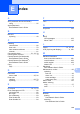
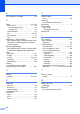
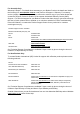

Table Of Contents
- BASIC USER’S GUIDE DCP-9055CDN
- User's Guides and where do I find it?
- Table of Contents
- 1 General information
- 2 Loading paper
- 3 Loading documents
- 4 Making copies
- 5 How to print from a computer
- 6 How to scan to a computer
- A Routine maintenance
- B Troubleshooting
- Error and maintenance messages
- Document is jammed in the top of the ADF unit
- Document is jammed under the document cover
- Removing small documents jammed in the ADF
- Document is jammed at the output tray
- Paper is jammed in the MP tray
- Paper is jammed in the Paper Tray 1 or Tray 2
- Paper is jammed at the back of the machine
- Paper is jammed inside the machine
- Paper is jammed underneath paper tray 1
- Troubleshooting
- Machine Information
- Error and maintenance messages
- C Menu and features
- D Specifications
- Index
- brother ARL/ASA/NZ/SAF/GLF

136
O
Out of Memory message ..........................83
P
Paper .............................................. 20, 125
how to load
............................................10
in multi-purpose tray
..........................12
in paper tray
.......................................10
recommended
.......................................21
size
................................................. 18, 20
tray capacity
..........................................21
type
................................................ 18, 20
PaperPort™ 12SE with OCR
See Software User’s Guide and Help in the
PaperPort™ 12SE application to access
How-to-Guides.
Presto! PageManager
See Software User’s Guide. See also Help
in the Presto! PageManager application.
Print
difficulties
..............................................97
drivers
.................................................129
quality
........................................... 99, 101
resolution
............................................129
specifications
......................................129
Printing
See Software User’s Guide.
Programming your machine
...................109
Q
Quality
printing
......................................... 99, 101
R
Replacing
belt unit
.................................................48
drum unit
...............................................41
toner cartridge
.......................................35
waste toner box
.....................................53
Resolution
copy
....................................................127
print
.....................................................129
scan
....................................................128
S
Scanner glass
using
..................................................... 26
Scanning
See Software User’s Guide.
Secure key
................................................ 7
Serial number
how to find
See inside front cover
Status LED
................................................ 8
T
Text, entering ........................................ 120
Toner cartridge
replacing
............................................... 35
Troubleshooting
....................................... 97
document jam
.................................86, 87
error messages on LCD
....................... 80
if you are having difficulty
copy quality
....................................... 97
network
............................................ 100
paper handling
.................................. 99
print quality
................................99, 101
printing
.............................................. 97
scanning
............................................ 98
software
............................................. 98
maintenance messages on LCD
.......... 80
paper jam
....................88, 89, 90, 92, 96
V
Volume, setting
beeper
.................................................... 9
W
Waste toner box
replacing
............................................... 53
Windows
®
See Software User’s Guide.