
All in One Printer User Manual
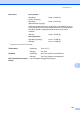

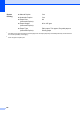
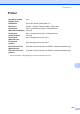

Table Of Contents
- BASIC USER’S GUIDE DCP-9055CDN
- User's Guides and where do I find it?
- Table of Contents
- 1 General information
- 2 Loading paper
- 3 Loading documents
- 4 Making copies
- 5 How to print from a computer
- 6 How to scan to a computer
- A Routine maintenance
- B Troubleshooting
- Error and maintenance messages
- Document is jammed in the top of the ADF unit
- Document is jammed under the document cover
- Removing small documents jammed in the ADF
- Document is jammed at the output tray
- Paper is jammed in the MP tray
- Paper is jammed in the Paper Tray 1 or Tray 2
- Paper is jammed at the back of the machine
- Paper is jammed inside the machine
- Paper is jammed underneath paper tray 1
- Troubleshooting
- Machine Information
- Error and maintenance messages
- C Menu and features
- D Specifications
- Index
- brother ARL/ASA/NZ/SAF/GLF

126
1
For labels, we recommend removing printed pages from the output paper tray immediately after they exit the machine
to avoid the possibility of smudging.
2
60 to 105 gsm for duplex print.
Duplex
Printing
Manual Duplex: Yes
Automatic Duplex: Yes
Paper Size
(Automatic Duplex):
A4
Paper Weight
(Automatic Duplex):
60 to 105 gsm
Paper Type
(Automatic Duplex):
Plain paper, Thin paper, Recycled paper or
Glossy paper