
All in One Printer User Manual
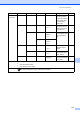

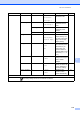
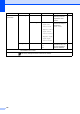
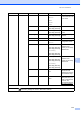
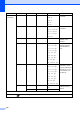
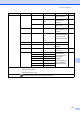

Table Of Contents
- BASIC USER’S GUIDE DCP-9055CDN
- User's Guides and where do I find it?
- Table of Contents
- 1 General information
- 2 Loading paper
- 3 Loading documents
- 4 Making copies
- 5 How to print from a computer
- 6 How to scan to a computer
- A Routine maintenance
- B Troubleshooting
- Error and maintenance messages
- Document is jammed in the top of the ADF unit
- Document is jammed under the document cover
- Removing small documents jammed in the ADF
- Document is jammed at the output tray
- Paper is jammed in the MP tray
- Paper is jammed in the Paper Tray 1 or Tray 2
- Paper is jammed at the back of the machine
- Paper is jammed inside the machine
- Paper is jammed underneath paper tray 1
- Troubleshooting
- Machine Information
- Error and maintenance messages
- C Menu and features
- D Specifications
- Index
- brother ARL/ASA/NZ/SAF/GLF
Menu and features
119
C
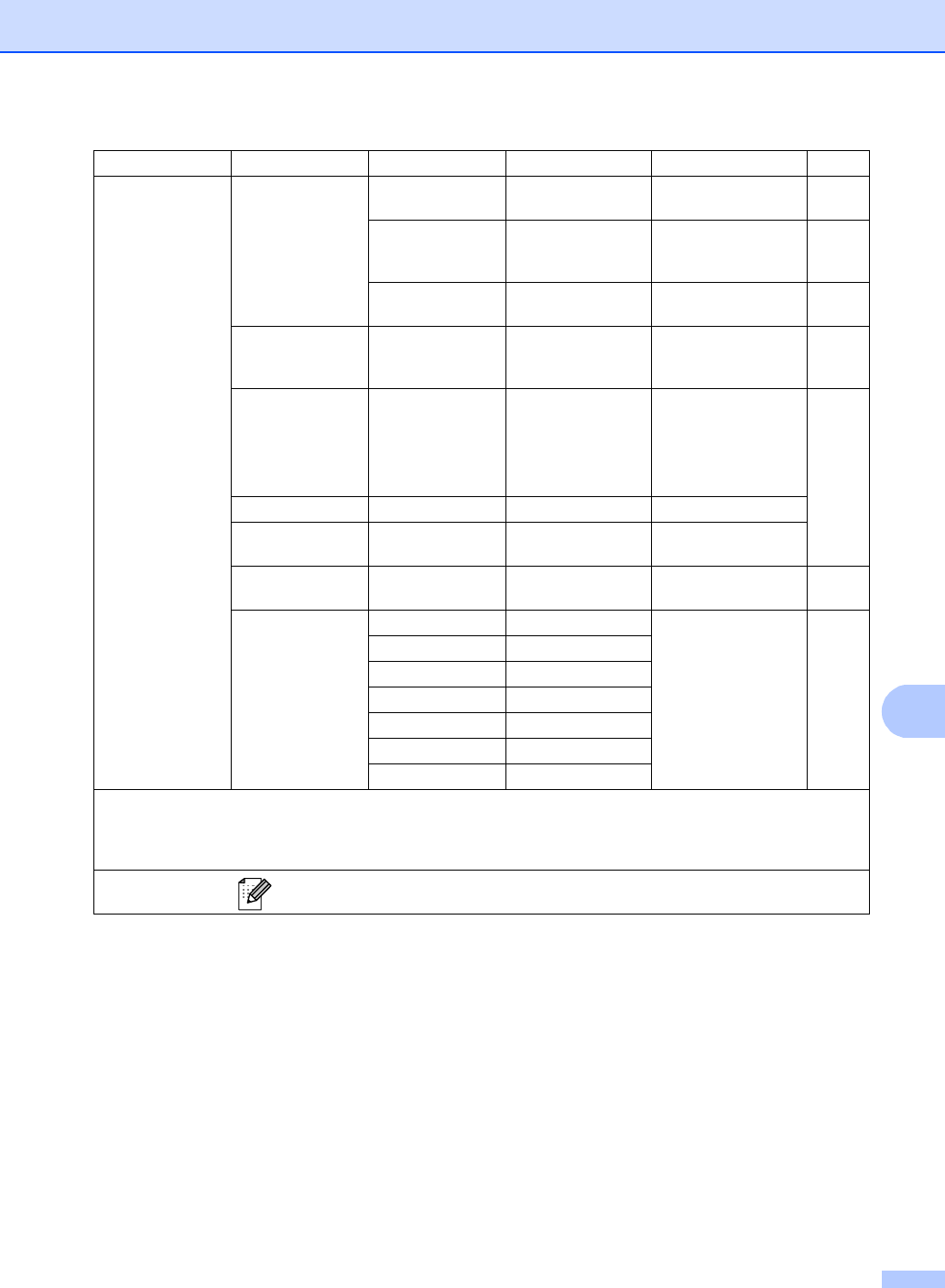
Level 1 Level 2 Level 3 Options Descriptions Page
5.Machine Info.
1.Date&Time 1.Date&Time — Puts the date and
time on the LCD.
See
2
.
2.Daylight Save
On
Off*
Changes for Daylight
Savings Time
manually.
See
1
.
3.Time Zone UTCXXX:XX Sets the time zone for
your country.
See
3
.
2.Serial No. — — You can check the
serial number of your
machine.
108
3.Page Counter
— Total
List
Copy
Print
You can check the
number of total pages
the machine has
printed during its life.
See
1
.
4.User Settings
— — Lists your settings.
5.Network Config
— — Lists your Network
settings.
6.Drum Dot Print
— — Prints the drum dot
check sheet.
70
7.Parts Life 1.Drum — You can check the
percentage of a
machine part’s life
that remains
available.
(PF Kit 2 appears only
if you installed the
optional paper tray.)
See
1
.
2.Belt Unit —
3.Fuser —
4.Laser —
5.PF Kit MP —
6.PF Kit 1 —
7.PF Kit 2 —
1
See Advanced User's Guide.
2
See Quick Setup Guide.
3
See Network User's Guide.
The factory settings are shown in Bold with an asterisk.