
User`s guide


Troubleshooting
54
6
I want to check my network devices are working properly.
Question Interface Solution
Is your Brother machine,
access point/router or
network hub turned on?
wired Make sure you have confirmed all instructions in First check the following:
on page 50.
Where can I find Brother
machine's network settings,
such as IP address?
wired Print the Network Configuration List. See Printing the Network Configuration
List on page 12.
How can I check the link
status of Brother machine?
wired Print the Network Configuration List and check that Ethernet Link Status is
Link OK.
If the Link Status shows Link DOWN, start over again from the First check
the following: on page 50.
Can you “ping” Brother
machine from your
computer?
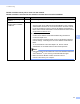
wired Ping the Brother machine from your computer using the IP address or the
node name.
Successful i Your Brother machine is working correctly and connected
to the same network as your computer.
Unsuccessful i Your Brother machine is not connected to the same
network as your computer.
(Windows
®
)
Ask the network administrator and use the Network Connection Repair
Tool to fix the IP address and the subnet mask automatically. For the
detail of the Network Connection Repair Tool, see (Windows
®
) Confirm
the IP address and the Subnet Mask using the Network Connection
Repair Tool. in Is your Brother machine assigned with an available IP
address? on page 51.
(Macintosh)
Confirm the IP address and the Subnet Mask are set correctly. See
Confirm the IP address and the Subnet Mask in Is your Brother machine
assigned with an available IP address? on page 51.