
User`s guide


50
6
6
Overview 6
This chapter explains how to resolve typical network problems you may encounter when using Brother
machine. If, after reading this chapter, you are unable to resolve your problem, please visit the Brother
Solutions Center at: http://solutions.brother.com/
.
Please go to the Brother Solutions Center at http://solutions.brother.com/
and click Manuals on your model
page to download the other manuals.
Identifying your problem 6
Make sure that the following items are configured before reading this chapter.
Go to the page for your solution from the lists below 6
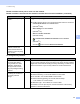
The Brother machine is not found on the network during the MFL-Pro Suite installation. (See page 50.)
The Brother machine cannot print or scan over the network. (See page 51.)
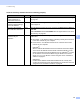
The Brother machine is not found on the network even after successful installation. (See page 51.)
I'm using security software. (See page 53.)
I want to check my network devices are working properly. (See page 54.)
Troubleshooting 6
First check the following:
The power cord is connected properly and the Brother machine is turned on.
All protective packaging has been removed from the machine.
The toner cartridges and drum unit are installed properly.
The front and back covers are fully closed.
Paper is inserted properly in the paper tray.
A network cable is securely connected to the Brother machine and the router or hub.
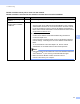
Brother machine is not found on the network during the MFL-Pro Suite installation.
Question Interface Solution
Are you using security
software?
wired Choose to search for Brother machine again on the installer dialog.
Allow access when the alert message of the security software appears
during the MFL-Pro Suite installation.
For more information about security software, see I'm using security
software. on page 53.