
User`s guide


Security features
38
5
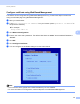
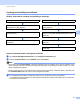
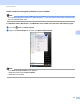
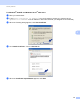
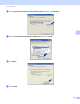
h After configuring, click Submit.
After configuring, connect your machine to the IEEE 802.1x supported network. After a few minutes, print
the Network Configuration List to check the <Wired IEEE 802.1x> Status. (See Printing the Network
Configuration List on page 12 for information on how to print the Network Configuration List on your print
server.)
Success
The wired IEEE 802.1x function is enabled and the authentication was successful.
Failed
The wired IEEE 802.1x function is enabled, however, the authentication failed.
Off
The wired IEEE 802.1x function is not available.
Secure Management using BRAdmin Professional 3
(Windows
®
) 5
To use the BRAdmin Professional 3 utility securely, you need to follow the
points below 5
We strongly recommend to use the latest version of the BRAdmin Professional 3 utility or Web BRAdmin
that are available as a download from http://solutions.brother.com/
. If you use an older version of
BRAdmin
1
to manage your Brother machines the user authentication will not be secure.
If you want to avoid access to your machine from older versions of BRAdmin
1
, you need to disable the
access from older versions of BRAdmin
1
from Advanced Setting of SNMP on Configure Protocol page
using Web Based Management. (See Secure Management using Web Based Management (web
browser) on page 31.)
If you use BRAdmin Professional 3 and Web Based Management together, use Web Based Management
with the HTTPS protocol. (See Secure Management using Web Based Management (web browser)
on page 31.)
If you are managing a mixed group of older print servers
2
and the print servers with BRAdmin
Professional 3, we recommend using a different password in each group. This will ensure security is
maintained on the new print servers.
1
BRAdmin Professional older than Ver. 2.80, Web BRAdmin older than Ver. 1.40, BRAdmin Light for Macintosh older than Ver. 1.10
2
NC-2000 series, NC-2100p, NC-3100h, NC-3100s, NC-4100h, NC-5100h, NC-5200h, NC-6100h, NC-6200h, NC-6300h, NC-6400h, NC-8000,
NC-100h, NC-110h, NC-120w, NC-130h, NC-140w, NC-8100h, NC-9100h, NC-7100w, NC-7200w, NC-2200w