
All in One Printer User Manual
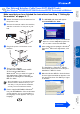
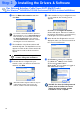
Table Of Contents
- Quick Setup Guide DCP-8060/DCP-8065DN
- Getting Started
- Table of Contents
- Step1 Setting Up the machine
- Step2 Installing the Drivers & Software
- Supplied CD-ROM “MFL-Pro Suite”
- For USB Interface Cable Users (For Windows® 98/98SE/Me/2000 Professional/XP/XP Professional x64 Edition)
- For Parallel Interface Cable Users (For Windows® 98/98SE/Me/2000 Professional/XP/XP Professional x64 Edition)
- For Windows NT® Workstation Version 4.0 Users
- For Network Interface Cable Users (DCP-8065DN only) (For Windows® 98/98SE/Me/NT/2000 Professional/XP/XP Professional x64 Edition)
- For USB Interface Cable Users
- For Network Interface Cable Users (DCP-8065DN only)
- For Network Users and Administrators (DCP-8065DN only)
- Options and Consumables
- brother ARL/ASA/NZ

9
Setting Up
the machine
Windows
®
USB
Windows
®
Parallel
Windows
NT
®
4.0
Parallel
Macintosh
®
USB
Macintosh
®
Network
Windows
®
Network
Network
Administrators
Follow the instructions on this page for your operating system and interface cable.
For the latest drivers and to find the best solution for your problem or question, access the Brother Solutions
Center directly from the driver or go to http://solutions.brother.com
Step 2
USB Interface Cable Users .......................................... Go to page 10
(For Windows
®
98/98SE/Me/2000 Professional/XP/XP Professional x64 Edition)
Parallel Interface Cable Users ..................................... Go to page 12
(For Windows
®
98/98SE/Me/2000 Professional/XP/XP Professional x64 Edition)
Windows NT
®
Workstation Version 4.0 Users........... Go to page 15
(For Parallel Interface Cable Users)
Network Interface Cable Users (DCP-8065DN only)
■ For Mac OS
®
9.1 to 9.2 ............................................. Go to page 25
■ For Mac OS
®
X 10.2.4 or greater ............................. Go to page 27
Network Interface Cable Users.................................... Go to page 17
(DCP-8065DN only)
USB Interface Cable Users
■ For Mac OS
®
9.1 to 9.2 ............................................. Go to page 20
■ For Mac OS
®
X 10.2.4 or greater ............................. Go to page 22
For Network Users and Administrators...................... Go to page 30
Installing the Drivers & Software