User Manual
Manuals
Brands
Brother Manuals
All in One Printer
DCP 8060
15
16
17
18
19
20
21
22
23
24
Table Of Contents
Quick Setup Guide DCP-8060
Table of Contents
Getting Started
Step1 Setting Up the machine
Install the Drum Unit and Toner Cartridge Assembly
Load Paper in the Paper Tray
Release the Scanner Lock
Connect the Power Cord
Setting the LCD Contrast
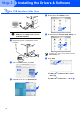
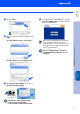
Step2 Installing the Drivers & Software
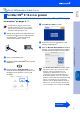
Supplied CD-ROM “MFL-Pro Suite”
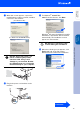
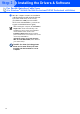
For USB Interface Cable Users (For Windows® 98/98SE/Me/2000 Professional/XP/XP Professional x64 Edition)
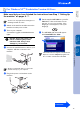
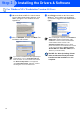
For Parallel Interface Cable Users (For Windows® 98/98SE/Me/2000 Professional/XP/XP Professional x64 Edition)
For Windows NT® Workstation Version 4.0 Users
For Mac OS® X 10.2.4 or greater
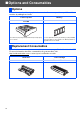
Options and Consumables
Options
Replacement Consumables
Brother ENG
ENG
1
...
...
22
23
24