
User Manual
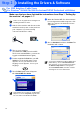
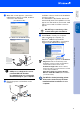
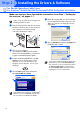
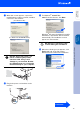
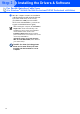
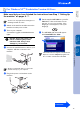
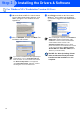
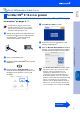
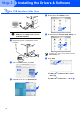
Table Of Contents
- Quick Setup Guide DCP-8060
- Table of Contents
- Getting Started
- Step1 Setting Up the machine
- Step2 Installing the Drivers & Software
- Options and Consumables
- Brother ENG

18
Installing the Drivers & Software
DO NOT connect the machine to a
USB port on a keyboard or a non-
powered USB hub
8 Plug in the power cord and turn on the
machine.
9 Choose USB and then click OK.
0 Click Go, then choose Applications.
A Double-Click the Utilities folder.
B Double-Click the Printer Setup Utility icon.
C Click Add.
For Mac OS
®
X 10.2.4 to 10.3.x users
➝ Go to
D
For Mac OS
®
X 10.4 users ➝ Go to E
For USB Interface Cable Users
For Mac OS
®
10.2.x users, double-click the
Print Center icon.
Step 2