
User Manual


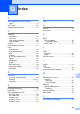
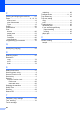

Table Of Contents
- Table of Contents DCP-8060
- Compilation and Publication Notice
- Table of Contents
- Section I General
- Section II Copy
- Section III Software
- Section IV Appendices
- Brother ENG

84
P
Packing and shipping the machine ..........67
Paper
............................................9, 15, 78
how to load
............................................12
size of document
.....................................8
Type
......................................................15
Poster
.......................................................26
Power failure
............................................70
Print
drivers
...................................................80
paper jams
............................................53
quality
....................................................45
resolution
..............................................80
specifications
........................................80
Programming your machine
.....................70
Q
Quality key (copying) ...............................23
R
Reducing copies ......................................25
Resolution
copy
......................................................79
print
.......................................................80
scan
......................................................79
S
Safety Instructions ...................................37
Scanner glass, using
..................................9
Secure Function Lock
..............................19
Secure key
.................................................5
Security
Secure Function Lock
...........................19
Public user
.........................................20
restricted users
..................................20
Shipping the machine
..............................67
Sleep Time
...............................................17
Sort key
....................................................28
Status LED
.................................................6
T
Temporary copy settings ..........................23
Text, entering
...........................................76
Toner cartridge
replacing
............................................... 62
Transparencies
.................................. 11, 12
Tray Select key
........................................ 29
Tray use,setting
copy
...................................................... 16
print
...................................................... 16
Troubleshooting
....................................... 42
document jam
....................................... 52
if you are having difficulty
paper handling
.................................. 44
printing
.............................................. 42
paper jam
............................................. 53
V
Volume, setting
beeper
.................................................. 17