
User Manual
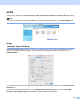
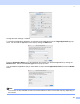
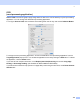
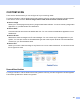
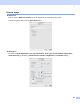
Table Of Contents
- SOFTWARE USER’S GUIDE MFC-8460N MFC-8860DN DCP-8060
- Table of Contents
- Section I Windows®
- 1 Printing
- Using the Brother printer driver
- Printing a document
- Duplex (two-sided) printing
- Simultaneous scanning, printing and faxing
- Printer operation key
- Status Monitor
- Printer driver settings (For Windows®)
- How to access the printer driver settings (For Windows®)
- Features in the Windows® printer driver
- Features in BR-Script3 (Post Script® 3™ language emulation) Printer compatible driver
- 2 Scanning
- 3 ControlCenter2
- 4 Network Scanning (For models with built-in network support)
- 5 Remote Setup (Not available for DCP model)
- 6 Brother PC-FAX Software (Not available for DCP model)
- PC-FAX sending
- Speed Dial setup
- Registering an address in a Speed Dial button
- Clearing a Speed Dial button
- Brother Address Book
- Setting up a member in the Address Book
- Setting up a group for broadcasting
- Editing member information
- Deleting a member or group
- Exporting the Address Book
- Importing to the Address Book
- Sending a file as a PC-FAX using the Facsimile style user interface
- Sending a file as a PC-FAX using the Simple style user interface
- PC-FAX receiving
- 1 Printing
- Section II Apple® Macintosh®
- 7 Printing and Faxing
- 8 Scanning
- 9 ControlCenter2
- 10 Network Scanning (Not available for DCP- 8060)
- 11 Remote Setup (Not available for DCP model)
- Index
- Brother ENG

9.
135
Software button in ControlCenter2 choose the Software Button tab in the configuration menu for each of the
SCAN buttons.
CUSTOM SCAN 9
You can configure the button name and settings for each of these buttons to meet your specific needs by
clicking a button while holding down the Ctrl key and following the configuration menus.
COPY / PC-FAX 9
COPY - Allows you to use your Macintosh
®
and any printer driver for enhanced copy operations. You can
scan a page on the machine and print the copies using any of the features of the machine printer driver, or
you can direct the copy output to any standard printer driver installed on your Macintosh
®
including network
printers.
PC-FAX - Allows you to scan a page or document and automatically send the image as a fax from the
Macintosh
®
. (Not available for DCP model.)
You can configure your preferred settings on up to four buttons.
DEVICE SETTINGS 9
You can configure the machine settings.
Remote Setup
Allows you to open the Remote Setup Program. (See Remote Setup (Not available for DCP model) on
page 162.)
Quick-Dial
Allows you to open the Set Quick-Dial window of the Remote Setup. (See Remote Setup (Not available
for DCP model) on page 162.)
Status Monitor
Allows you to open the Status Monitor utility.