
User Manual



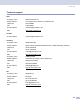
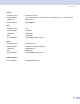

Table Of Contents
- SOFTWARE USER’S GUIDE
- Table of Contents
- Section I: Windows®
- 1 Printing
- Using the Brother printer driver
- Printing a document
- Duplex (two-sided) printing
- Simultaneous scanning, printing and faxing
- Printer operation key
- Status Monitor
- Printer driver settings (For Windows®)
- How to access the printer driver settings (For Windows®)
- Features in the Windows® printer driver
- Features in BR-Script3 (Post Script® 3™ language emulation) Printer compatible driver
- 2 Scanning
- Scanning a document using the TWAIN driver
- Scanning a document using the WIA driver (For Windows® XP only)
- Using the Scan key (For USB or Parallel cable users)
- Using ScanSoft® PaperPort® SE with OCR
- 3 ControlCenter2
- 4 Network Scanning (For models with built-in network support)
- 5 Remote Setup (Not available for DCP models)
- 6 Brother PC-FAX Software (Not available for DCP models)
- PC-FAX sending
- Speed Dial setup
- Brother Address Book
- Setting up a member in the Address Book
- Setting up a group for broadcasting
- Editing member information
- Deleting a member or group
- Exporting the Address Book
- Importing to the Address Book
- Sending a file as a PC-FAX using the Facsimile style user interface
- Sending a file as a PC-FAX using the Simple style user interface
- PC-FAX receiving
- 1 Printing
- Section II: Apple® Macintosh®
- 7 Printing and Faxing
- Setting up your USB-equipped Apple® Macintosh®
- Printer operation key
- Status Monitor
- Using the Brother Laser driver for Macintosh® (Mac OS® X)
- Using the Brother Laser driver for Macintosh® (Mac OS® 9.1 to 9.2)
- Using the BR-Script3 (Post Script® 3™ language emulation printer driver)
- Sending a fax (Not available for DCP models)
- 8 Scanning
- 9 ControlCenter2 (For Mac OS® 10.2.4. or greater)
- 10 Network Scanning (Not available for DCP- 8060)
- 11 Remote Setup (Not available for DCP models)
- 7 Printing and Faxing
- Index
- brother UK/IRE/SAF

8. Scanning
142
Technical support 8
USA
Company name: Newsoft America Inc.
Postal Address: 4113 Clipper Court Fremont CA 94538, USA
Telephone: 510-4458600
Fax: 510-4458601
E-mail Address: contactus@newsoftinc.com
URL: http://www.newsoft.com
Canada
E-mail Address: contactus@newsoftinc.com
Germany
Company name: NewSoft Europe
Postal Address: Regus Center Fleethof Stadthausbrucke 3 20355 Hamburg, Germany
Telephone: 49-40-37644530
Fax: 49-40-37644500
E-mail Address: contact@newsoft.eu.com
URL: http://de.newsoft.eu.com
Company name: SoftBay GmbH
Postal Address: Carlstrase 50 D-52531 Ubach-Palenberg
Telephone: 49(0)2451/9112647
Fax: 49(0)2451/409642
E-mail Address: newsoft@softbay.de
URL: http://de.newsoft.eu.com
UK
Company name: Guildsoft Ltd
Postal Address: Not Open
Telephone: 44-01752-201148
Fax: 44-01752-894833
E-mail Address: Tech@guildsoft.co.uk
URL: http://uk.newsoft.eu.com