
User's Guide
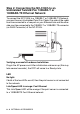
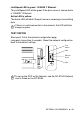
Table Of Contents
- USER'S GUIDE DCP-8040/DCP-8045D
- Brother numbers
- Ordering accessories and supplies
- Safety precautions
- Choosing a location
- Table of Contents
- 1 Introduction
- 2 Paper
- 3 On-screen programming
- 4 Getting started
- 5 Making copies
- 6 Important information
- 7 Troubleshooting and routine maintenance
- 8 Optional accessories
- Glossary
- Specifications
- Index
- brother USA/CAN

8 - 9 OPTIONAL ACCESSORIES
Step 2: Connecting the NC-9100h to an
Unshielded Twisted Pair 10BASE-T or
100BASE-TX Ethernet Network
To connect the NC-9100h to a 10BASE-T or 100BASE-TX Network,
you must have an Unshielded Twist Pair Cable. One side of the cable
must be connected to a free port on your Ethernet hub and the other
side must be connected to the 10BASE-T or 100BASE-TX connector
(an RJ45 Connector) of the NC-9100h.
Verifying successful hardware Installation:
Plug in the AC power cord. After initialization and warm-up (this may
take several seconds), the DCP will come to a Ready state.
LED
No light:
If both of the two LEDs are off, then the print server is not connected
to the network.
Link/Speed LED is orange: Fast Ethernet
This Link/Speed LED will be orange if the print server is connected
to a 100BASETX Fast Ethernet network.