
User Manual
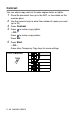
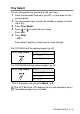
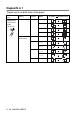
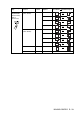
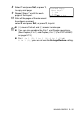
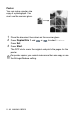
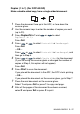
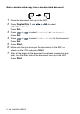
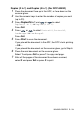
Table Of Contents
- USER'S GUIDE DCP-8040/DCP-8045D
- "EC" Declaration of Conformity
- Safety precautions
- Choosing a location
- Table of Contents
- 1 Introduction
- 2 Paper
- 3 On-screen programming
- 4 Getting started
- 5 Making copies
- 6 Important information
- 7 Troubleshooting and routine maintenance
- 8 Optional accessories
- Glossary
- Specifications
- Index
- brother UK/IRE/SAF/PAN NORDIC

MAKING COPIES 5 - 15
8
Select
1
and press
Set
, or press
1
,
to copy next page.
9
Repeat Steps 7 and 8 for each
page of the layout.
10
After all the pages of the document
have been scanned,
select
2
and press
Set
, or press
2
, to print.
■
(
P
) means Portrait and (
L
) means Landscape.
■
You can also combine the N in 1 and Duplex operations.
(See
Duplex (2 in 1) and Duplex (4 in 1) (For DCP-8045D)
on page 5-19.)
■
For
2 in 1 (P)
,
2 in 1 (L)
,
4 in 1 (P)
or
4 in 1 (L)
, you can not use the Enlarge/Reduce setting.
Flatbed Copy:
Next Page?
1.Yes
2.No
Select
▲▼
& Set