
Quick Setup Guide


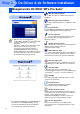
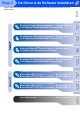
Table Of Contents
- Installatiehandleiding DCP-8040/DCP-8045D
- Aan de Slag
- Inhoudsopgave
- Stap1 De Machine Installeren
- Stap2 De Driver & de Software installeren
- Meegeleverde CD-ROM “MFL-Pro Suite”
- Bij Gebruik van de USB-Interfacekabel (voor Windows® 98/98SE/Me/2000 Professional/XP)
- Bij Gebruik van de Parallele Interfacekabel (voor Windows® 98/98SE/Me/2000 Professional/XP)
- Bij gebruik van Windows NT® Workstation Version 4.0
- Bij Gebruik van de Netwerkinterfacekabel (voor Windows® 98/98SE/Me/NT/2000 Professional/XP)
- Bij Gebruik van de USB-interfacekabel
- Bij Gebruik van de Netwerkinterfacekabel
- Voor Administrators
- Gebruikershandleiding Netwerk - Overzicht van de Hoofdstukken (NC-9100h)
- De BRAdmin Professional Configuratietool installeren (alleen bij Gebruik van Windows®)
- Uw IP-adres, het Subnetmasker en de Gateway instellen met behulp van BRAdmin Professional (alleen voor Windows®-Gebruikers)
- Opties
- Verbruiksonderdelen Vervangen
- brother DUT/BEL-DUT

7
De Machine
Installeren
Windows
®
USB
Windows
®
Parallel
Windows
NT
®
4.0
Parallel
Macintosh
®
USB
Macintosh
®
Netwerk
Windows
®
Netwerk
Voor
Administrators
De Driver & de Software installeren
Volg de instructies op deze pagina die betrekking hebben op uw besturingssysteem en op uw
interfacekabel.
Stap 2
Bij gebruik van de USB-Interfacekabel ..........Ga naar pagina 8
(voor Windows
®
98/98SE/Me/2000 Professional/XP)
Bij gebruik van de Parallele Interfacekabel ...Ga naar pagina 17
(voor Windows
®
98/98SE/Me/2000 Professional/XP)
Bij gebruik van Windows NT
®
Workstation Version 4.0
...Ga naar pagina 27
(bij gebruik van de Parallelle Interfacekabel)
Bij gebruik van de Netwerkinterfacekabel ...Ga naar pagina 29
(voor Windows
®
98/98SE/Me/2000 Professional/XP)
Bij Gebruik van de USB-Interfacekabel
■ Voor Mac OS
®
8.6 tot 9.2...........................Ga naar pagina 32
■ Voor Mac OS
®
X 10.1/10.2.1 of recenter ...Ga naar pagina 34
Bij Gebruik van de Netwerkinterfacekabel
■ Voor Mac OS
®
8.6 tot 9.2...........................Ga naar pagina 36
■ Voor Mac OS
®
X 10.1/10.2.1 of recenter ...Ga naar pagina 38
Voor Administrators ......................................Ga naar pagina 40