
Owner's Manual

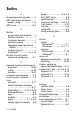
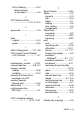
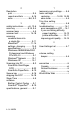

Table Of Contents
- Top Page
- Network User’s Guide
- USER'S GUIDE DCP-8040 DCP-8045D
- Brother numbers
- Ordering accessories and supplies
- Safety precautions
- Choosing a location
- Table of Contents
- 1 Introduction
- 2 Paper
- 3 On-screen programming
- 4 Getting started
- 5 Making copies
- 6 Using the DCP as a printer
- 7 Printer driver settings
- 8 How to scan using Windows®
- Scanning a document
- Scanning a document (For Windows® XP only)
- Using the scan key (For USB or Parallel interface cable users)
- Using ScanSoft® PaperPort® and OmniPage® OCR
- 9 Using the Brother Control Center (For Windows® 98/98SE/Me/2000 Professional and Windows NT® WS 4.0)
- 10 Using the Windows®-Based Brother SmartUI Control Center (For Windows® XP)
- 11 Using your DCP with a Macintosh®
- Setting up your USB-equipped Apple® Macintosh®
- Using the Brother printer driver with your Apple® Macintosh® (Mac OS® 8.6 - 9.2)
- Using the Brother Printer Driver with Your Apple® Macintosh® (Mac OS® X)
- Using the PS driver with your Apple® Macintosh®
- Using the Brother TWAIN scanner driver with your Macintosh®
- Using Presto!® PageManager®
- 12 Network Scanning (Windows® 98/98SE/Me/2000 Professional and XP only)
- 13 Important information
- 14 Troubleshooting and routine maintenance
- 15 Optional accessories
- Glossary
- Specifications
- Index
- brother USA
I - 3 INDEX
R
Resolution
print .................................. S-4
reports and lists ............. 6-16
scan ..........................8-6, S-3
S
safety instructions ....... viii, 13-6
scan key .................... 8-16, 9-4
scanner lamp ...................... 4-5
scanner lock ................... 14-18
scanning
combine items into
a single file ................... 9-11
Macintosh
®
.................. 11-14
settings, changing .......... 10-9
specifications ................... S-3
Windows
®
98/98SE/Me/2000
Professional and Windows
NT
®
WS 4.0 ................... 9-1
Windows
®
Network ........ 12-1
Windows
®
XP ................ 10-1
Scanning into PC ................ 8-3
ScanSoft
®
OmniPage
®
OCR ............................. 8-22
ScanSoft
®
PaperPort
®
... 8-19
Secure key ....................... 6-16
shipping the DCP ........... 14-18
Sleep Time ......................... 4-5
software
Brother Control Center .... 9-1
ScanSoft
®
PaperPort
®
... 8-19
specifications, general ........ S-1
T
temporary copy settings ...... 5-5
toner cartridge
replacing ...........14-24, 14-25
save toner ........................ 4-4
Tray Use, setting
copy ................................. 4-6
troubleshooting ................. 14-1
error messages on LCD
... 14-1
if you are having difficulty
paper handling .......... 14-12
printer difficulties ....... 14-11
improving print quality ... 14-14
U
User Settings List ................ 4-7
V
volume, setting
beeper .............................. 4-4
W
warranties ..............................iii
Canada ..............................vii
Notice-Disclaimer ................iii
USA .....................................iv
World Wide Web ..................... i