
Owner's Manual
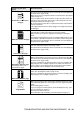
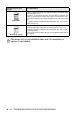
Table Of Contents
- Top Page
- Network User’s Guide
- USER'S GUIDE DCP-8040 DCP-8045D
- Brother numbers
- Ordering accessories and supplies
- Safety precautions
- Choosing a location
- Table of Contents
- 1 Introduction
- 2 Paper
- 3 On-screen programming
- 4 Getting started
- 5 Making copies
- 6 Using the DCP as a printer
- 7 Printer driver settings
- 8 How to scan using Windows®
- Scanning a document
- Scanning a document (For Windows® XP only)
- Using the scan key (For USB or Parallel interface cable users)
- Using ScanSoft® PaperPort® and OmniPage® OCR
- 9 Using the Brother Control Center (For Windows® 98/98SE/Me/2000 Professional and Windows NT® WS 4.0)
- 10 Using the Windows®-Based Brother SmartUI Control Center (For Windows® XP)
- 11 Using your DCP with a Macintosh®
- Setting up your USB-equipped Apple® Macintosh®
- Using the Brother printer driver with your Apple® Macintosh® (Mac OS® 8.6 - 9.2)
- Using the Brother Printer Driver with Your Apple® Macintosh® (Mac OS® X)
- Using the PS driver with your Apple® Macintosh®
- Using the Brother TWAIN scanner driver with your Macintosh®
- Using Presto!® PageManager®
- 12 Network Scanning (Windows® 98/98SE/Me/2000 Professional and XP only)
- 13 Important information
- 14 Troubleshooting and routine maintenance
- 15 Optional accessories
- Glossary
- Specifications
- Index
- brother USA

14 - 17 TROUBLESHOOTING AND ROUTINE MAINTENANCE
Curl or wave
Check the paper type and quality. High temperatures and high humidity
will cause paper to curl.
If you don’t use the printer very often, the paper may have been in the
paper tray too long. Turn over the stack of paper in the paper tray. Also,
try fanning the paper stack and then rotating the paper 180° in the paper
tray.
Try printing using the straight-through output path. (See How to load
paper on page 2-5.)
Wrinkles or creases
Make sure that paper is loaded properly.
Check the paper type and quality. (See About paper on page 2-1.)
Try printing using the straight-through output path. (See How to load
paper on page 2-5.)
Turn over the stack of paper in the tray or try rotating the paper 180° in
the input tray.
The drum unit is a consumable item and it is necessary to
replace it periodically.
Examples of poor print
quality
Recommendation
B DEFGH
abc efghijk
ACD
bcde
134