
Owner's Manual
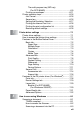
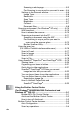
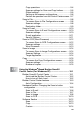
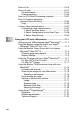
Table Of Contents
- Top Page
- Network User’s Guide
- USER'S GUIDE DCP-8040 DCP-8045D
- Brother numbers
- Ordering accessories and supplies
- Safety precautions
- Choosing a location
- Table of Contents
- 1 Introduction
- 2 Paper
- 3 On-screen programming
- 4 Getting started
- 5 Making copies
- 6 Using the DCP as a printer
- 7 Printer driver settings
- 8 How to scan using Windows®
- Scanning a document
- Scanning a document (For Windows® XP only)
- Using the scan key (For USB or Parallel interface cable users)
- Using ScanSoft® PaperPort® and OmniPage® OCR
- 9 Using the Brother Control Center (For Windows® 98/98SE/Me/2000 Professional and Windows NT® WS 4.0)
- 10 Using the Windows®-Based Brother SmartUI Control Center (For Windows® XP)
- 11 Using your DCP with a Macintosh®
- Setting up your USB-equipped Apple® Macintosh®
- Using the Brother printer driver with your Apple® Macintosh® (Mac OS® 8.6 - 9.2)
- Using the Brother Printer Driver with Your Apple® Macintosh® (Mac OS® X)
- Using the PS driver with your Apple® Macintosh®
- Using the Brother TWAIN scanner driver with your Macintosh®
- Using Presto!® PageManager®
- 12 Network Scanning (Windows® 98/98SE/Me/2000 Professional and XP only)
- 13 Important information
- 14 Troubleshooting and routine maintenance
- 15 Optional accessories
- Glossary
- Specifications
- Index
- brother USA

xviii
Replacing the drum unit..........................................14-30
Checking the drum life............................................14-34
Page Counter ......................................................... 14-34
15
Optional accessories ......................................................... 15-1
Memory board.................................................................15-1
Installing the optional memory board........................15-2
Network (LAN) board ......................................................15-5
Before starting installation ........................................15-6
Step 1: Hardware installation....................................15-6
Step 2: Connecting the NC-9100h to an Unshielded
Twisted Pair 10BASE-T or 100BASE-TX Ethernet
Network ................................................................15-9
LED.......................................................................15-9
TEST SWITCH ...................................................15-10
Paper Tray #2.........................................................15-11
G
Glossary ............................................................................... G-1
S
Specifications ...................................................................... S-1
Product description.......................................................... S-1
General ............................................................................ S-1
Print media....................................................................... S-2
Copy ................................................................................ S-3
Scanner ........................................................................... S-3
Printer .............................................................................. S-4
Interfaces......................................................................... S-4
Computer requirements ................................................... S-5
Consumable items ........................................................... S-6
Network (LAN) board (NC-9100h) ................................... S-7
Optional External Wireless Print/Scan Server
(NC-2200w) .................................................................. S-8
16
Index .......................................................................................I-1