
User Guide
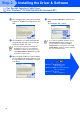
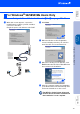
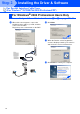
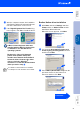


Table Of Contents
- Quick Setup Guide DCP-8040/DCP-8045D
- Getting Started
- Table of Contents
- Step1 Setting Up the Machine
- Step2 Installing the Driver & Software
- Supplied CD-ROM “MFL-Pro Suite”
- For USB Interface Cable Users (For Windows® 98/98SE/Me/2000 Professional/XP)
- For Parallel Interface Cable Users (For Windows® 98/98SE/Me/2000 Professional/XP)
- For Windows NT® Workstation Version 4.0 Users
- For Network Interface Cable Users (For Windows® 98/98SE/Me/NT/2000 Professional/XP)
- For USB Interface Cable Users
- For Network Interface Cable Users
- For Administrators
- brother UK

23
O
Select Yes and Next to print a test page.
P
When this screen appears, click Finish.
Q
If the Digital Signature Not Found dialog box
appears, click Yes.
R
If the test page printed, click OK.
The Brother Native Drivers have been
installed and the installation is now
complete.
There will be two Brother printer drivers
listed in the Printers selection.
The driver with “Printer” after the model
name (ex. Brother DCP-8045D Printer) is the
Brother Native Driver.
Installing the Driver & Software
Setting Up
the Machine
For
Administrators
Windows
®
Parallel