
User Guide
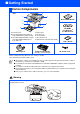



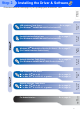
Table Of Contents
- Quick Setup Guide DCP-8040/DCP-8045D
- Getting Started
- Table of Contents
- Step1 Setting Up the Machine
- Step2 Installing the Driver & Software
- Supplied CD-ROM “MFL-Pro Suite”
- For USB Interface Cable Users (For Windows® 98/98SE/Me/2000 Professional/XP)
- For Parallel Interface Cable Users (For Windows® 98/98SE/Me/2000 Professional/XP)
- For Windows NT® Workstation Version 4.0 Users
- For Network Interface Cable Users (For Windows® 98/98SE/Me/NT/2000 Professional/XP)
- For USB Interface Cable Users
- For Network Interface Cable Users
- For Administrators
- brother UK

7
Setting Up
the Machine
Windows
®
USB
Windows
®
Parallel
Windows
NT
®
4.0
Parallel
Macintosh
®
USB
Macintosh
®
Network
Windows
®
Network
For
Administrators
Installing the Driver & Software
Follow the instructions on this page for your operating system and interface cable.
Step 2
USB Interface Cable Users .................................... Go to page 8
(For Windows
®
98/98SE/Me/2000 Professional/XP)
Parallel Interface Cable Users ............................. Go to page 17
(For Windows
®
98/98SE/Me/2000 Professional/XP)
Windows NT
®
Workstation Version 4.0 Users ... Go to page 27
(For Parallel Interface Cable Users)
Network Interface Cable Users............................ Go to page 29
(For Windows
®
98/98SE/Me/NT/2000 Professional/XP)
USB Interface Cable Users
■ For Mac OS
®
8.6 to 9.2 ..................................... Go to page 32
■ For Mac OS
®
X 10.1/10.2.1 or greater ............. Go to page 34
Network Interface Cable Users
■ For Mac OS
®
8.6 to 9.2 ..................................... Go to page 36
■ For Mac OS
®
X 10.1/10.2.1 or greater ............. Go to page 38
For Administrators ............................................... Go to page 40