
Network User's Guide
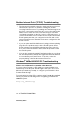

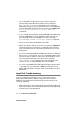
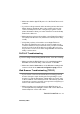
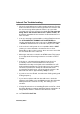


Table Of Contents
- Network User's Guide
- Introduction
- IMPORTANT INFORMATION: REGULATIONS
- Table of Contents
- Unix Printing
- TCP/IP Printing
- Printing from Windows NT® 4.0, Windows® 2000/XP, LAN Server and Warp Server
- Overview
- Windows NT® 4.0 and Windows® 2000/XP (TCP/IP) Configuration
- Windows® 2000/XP Printing (Printer Driver not yet installed)
- Windows® 2000/XP Printing (Printer Driver already installed)
- Windows NT® 4.0 Printing
- Windows NT® 4.0 Printing Associating to the Printer
- Windows NT® 4.0 Printing Adding a Second Brother LPR Port
- Other Sources of Information
- Printing from Windows NT® 4.0, Windows® 2000/XP, LAN Server and Warp Server
- Peer to Peer Printing
- NetBIOS Peer to Peer Printing
- Configuring Internet Printing for Windows®
- Internet Printing Installation
- Overview
- Brother Internet Print General Information
- Brother Internet Print: Configuring the Brother Print/Fax Server
- Brother Internet Print: Using BRAdmin Professional utility to Configure the Print Server
- Brother Internet Print: Using a Web Browser to Configure the Print Server
- Adding a Second Brother Internet Port
- Windows® 2000/XP IPP Printing
- Specifying a Different URL
- Other Sources of Information
- Internet Printing Installation
- Novell NetWare Printing
- How to Configure Novell NetWare Printing
- Overview
- General Information
- Creating a NDPS Printer Using NWADMIN for NetWare5
- NDPS Manager
- NDPS Broker
- Creating a Printer Agent
- Configuring NetWare 3 and NetWare 4 systems
- Creating a Network Print Server (Bindery Queue Server) using BRAdmin Professional utility
- Creating a Network Print Server (NDS Queue Server) using BRAdmin Professional utility
- Creating a Network Print Server (NDS Queue Server) using Novell NWADMIN and BRAdmin Professional utility
- Creating a Network Print Server (NDS Remote Printer) using Novell NWAdmin and BRAdmin Professional utility
- Other Sources of Information
- How to Configure Novell NetWare Printing
- Printing from a Macintosh®
- Printing from a Macintosh® Using AppleTalk® and TCP/IP or Simple Network Configuration capabilities.
- Overview
- How to Select the Print Server (AppleTalk/EtherTalk)
- How to Select the Print Server (TCP/IP)
- Macintosh Configuration (Mac OS® X 10.1 - 10.2.1 or greater)
- How to Select the Print Server (AppleTalk/EtherTalk)
- How to Select the Print Server (TCP/IP)
- Changing the Configuration
- Other Sources of Information
- Printing from a Macintosh® using Simple Network Configuration capabilities of Mac OS® X.
- Printing from a Macintosh® Using AppleTalk® and TCP/IP or Simple Network Configuration capabilities.
- DLC Printing
- Web Based Management
- Front Panel Setup Menu
- TCP/IP Configuration
- Assigning TCP/IP Information
- Overview
- Using the machine control panel to allocate an IP address (Models with LCD panels only)
- Changing the IP Address using the BRAdmin Professional utility
- Using BRAdmin Professional utility and the IPX/ SPX Protocol to set the IP address
- Using BRAdmin Professional utility and the TCP/IP Protocol to set the IP address
- Using DHCP to Configure the IP address
- Using APIPA to Configure the IP Address
- Using ARP to Configure the Print/Fax Server IP Address
- Using RARP to Configure the IP Address
- Using BOOTP to Configure the IP Address
- Assigning TCP/IP Information
- Internet FAX (MFC Only)
- Troubleshooting
- Overview
- Installation problems
- Resetting the Print/Fax Sever back to factory settings (Test Switch)
- Intermittent Problems
- TCP/IP Troubleshooting
- UNIX Troubleshooting
- Windows NT® 4.0/LAN Server (TCP/IP) Troubleshooting
- Windows® 98/Me Peer to Peer Print (LPR) Troubleshooting
- Windows® 98/Me Peer-to-Peer (HP JetAdmin compatible method) Troubleshooting
- Windows® 98/Me/2000/XP and Windows NT® 4.0 Peer-to-Peer Print (NetBIOS) Troubleshooting
- Brother Internet Print (TCP/IP) Troubleshooting
- Windows® 98/Me/2000/XP IPP Troubleshooting
- Novell NetWare Troubleshooting
- AppleTalk Troubleshooting
- DLC/LLC Troubleshooting
- Web Browser Troubleshooting (TCP/IP)
- Internet Fax Troubleshooting
- Appendix
- INDEX

A - 3 APPENDIX
NC9100h_FM6.0
Appendix B
Using Services
General
A service is a resource that can be accessed by computers that wish
to print to the Brother Print/Fax server. The Brother Print/Fax server
provides the following predefined services (do a SHOW SERVICE
command in the Brother Print/Fax server remote console to see a list
of available services): Enter HELP at the command prompt for a list
of supported commands.
Where xxxxxx is the last six digits of the Ethernet address (for
example, BRN_310107_P1).
Service (Example) Definition
BINARY_P1 TCP/IP binary, NetBIOS service.
TEXT_P1
TCP/IP text service (adds carriage return after
each line feed).
POSTSCRIPT_P1
PostScript service (switches PJL-compatible
printer to PostScript mode).
PCL_P1
PCL service (switches PJL-compatible printer to
PCL mode).
BRN_xxxxxx_P1_AT
AppleTalk and LPD service for Mac OS
®
8.6 or
later.
BRN_xxxxxx_P1
NetWare service and AppleTalk service with
Quickdraw Driver for Mac OS
®
10.1 - 10.2.1 or
greater (TCP/IP is enabled for backwards
compatibility).