
All in One Printer User Manual
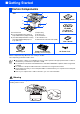
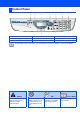
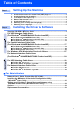
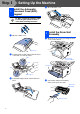
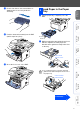
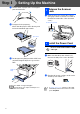
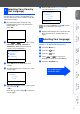
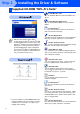
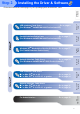
Table Of Contents
- Quick Setup Guide DCP-8040/DCP-8045D
- Getting Started
- Table of Contents
- Step1 Setting Up the Machine
- Step2 Installing the Driver & Software
- Supplied CD-ROM “MFL-Pro Suite”
- For USB Interface Cable Users (For Windows® 98/98SE/Me/2000 Professional/XP)
- For Parallel Interface Cable Users (For Windows® 98/98SE/Me/2000 Professional/XP)
- For Windows NT® Workstation Version 4.0 Users
- For Network Interface Cable Users (For Windows® 98/98SE/Me/NT/2000 Professional/XP)
- For USB Interface Cable Users
- For Network Interface Cable Users
- For Administrators
- brother UK

DCP-8040 and DCP-8045D have similar control panel keys.
Control Panel
1. Print keys 4. Navigation keys 7. Stop/Exit
2. Status LED (Light-Emitting Diode) 5. Copy keys (Temporary Settings) 8. Start
3. 5-Line Liquid Crystal Display (LCD)
6. Numeric keys 9. Scan key
For the details of the control panel, see "Control panel overview" in Chapter 1 of the User’s Guide.
Warning Hint User’s Guide
Indicates warnings that
must be observed to
prevent possible
personal injury.
Indicates cautions that
must be observed to use
the DCP properly or to
prevent damage to the
DCP.
Indicates notes and
useful tips to remember
when using the DCP.
Indicates reference to the
User’s Guide.
12 3 4 5 6 7
98