
User Manual


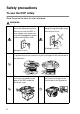

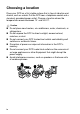


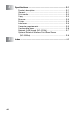

Table Of Contents
- USER'S GUIDE DCP-8040/DCP-8045D
- "EC" Declaration of Conformity
- Safety precautions
- Choosing a location
- Table of Contents
- 1 Introduction
- 2 Paper
- 3 On-screen programming
- 4 Getting started
- 5 Making copies
- 6 Important information
- 7 Troubleshooting and routine maintenance
- 8 Optional accessories
- Glossary
- Specifications
- Index
- brother UK/IRE/SAF/PAN NORDIC

vii
7
Troubleshooting and routine maintenance ....................... 7-1
Troubleshooting ................................................................ 7-1
Error messages .......................................................... 7-1
Document jams........................................................... 7-4
Document is jammed in the top of the ADF unit.
....... 7-4
Document is jammed inside the ADF unit. ............. 7-4
Paper jams ................................................................. 7-5
Paper is jammed in the duplex tray
(For DCP-8045D) ............................................... 7-9
If you are having difficulty with your DCP ................. 7-11
Improving the print quality ........................................ 7-14
Packing and shipping the DCP....................................... 7-18
Routine maintenance...................................................... 7-21
Cleaning the scanner................................................ 7-21
Cleaning the printer .................................................. 7-22
Cleaning the drum unit ............................................. 7-23
Replacing the toner cartridge ................................... 7-24
How to replace the toner cartridge ........................... 7-24
Replacing the drum unit............................................ 7-29
Checking the drum life.............................................. 7-32
Page Counter ........................................................... 7-32
8
Optional accessories ...........................................................8-1
Memory board .................................................................. 8-1
Installing the optional memory board.......................... 8-2
Network (LAN) board........................................................ 8-5
Before starting installation .......................................... 8-6
Step 1: Hardware installation...................................... 8-6
Step 2: Connecting the NC-9100h to an Unshielded
Twisted Pair 10BASE-T or 100BASE-TX Ethernet
Network ..................................................................8-9
LED ........................................................................ 8-9
TEST SWITCH ..................................................... 8-10
Paper Tray #2........................................................... 8-11
G
Glossary .............................................................................. G-1