
User Manual


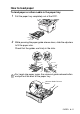


Table Of Contents
- USER'S GUIDE DCP-8040/DCP-8045D
- Brother numbers
- Ordering accessories and supplies
- Safety precautions
- Choosing a location
- Table of Contents
- 1 Introduction
- 2 Paper
- 3 On-screen programming
- 4 Getting started
- 5 Making copies
- 6 Important information
- 7 Troubleshooting and routine maintenance
- 8 Optional accessories
- Glossary
- Specifications
- Index
- brother USA/CAN

2 - 8 PAPER
When you put paper in the manual feed tray, please remember
the following
■
The side to be printed on must be face up.
■
Put the leading edge (top of the paper) in first and push it
gently into the tray.
■
Make sure that the paper is straight and in the proper
position on the manual feed tray. If it is not, the paper may
not be fed properly, resulting in a skewed printout or a paper
jam.
■
Do not put more than one sheet of paper or envelope in the
manual feed tray at any one time, or it may cause a jam.