
User Manual


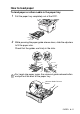


Table Of Contents
- USER'S GUIDE DCP-8040/DCP-8045D
- Brother numbers
- Ordering accessories and supplies
- Safety precautions
- Choosing a location
- Table of Contents
- 1 Introduction
- 2 Paper
- 3 On-screen programming
- 4 Getting started
- 5 Making copies
- 6 Important information
- 7 Troubleshooting and routine maintenance
- 8 Optional accessories
- Glossary
- Specifications
- Index
- brother USA/CAN

PAPER 2 - 7
To load paper or other media in the manual feed tray
(For DCP-8040)
1
Open the manual feed tray. Slide the paper guides to fit the
paper size.
2
Using both hands put paper in the manual feed tray until the
front edge of the paper touches the paper feed roller. Hold the
paper in this position until the DCP automatically feeds the
paper in for a short distance, and then let go of the paper.
When printing envelopes and labels you should only use the
manual feed tray.