
User Manual


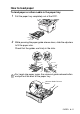


Table Of Contents
- USER'S GUIDE DCP-8040/DCP-8045D
- Brother numbers
- Ordering accessories and supplies
- Safety precautions
- Choosing a location
- Table of Contents
- 1 Introduction
- 2 Paper
- 3 On-screen programming
- 4 Getting started
- 5 Making copies
- 6 Important information
- 7 Troubleshooting and routine maintenance
- 8 Optional accessories
- Glossary
- Specifications
- Index
- brother USA/CAN

PAPER 2 - 5
How to load paper
To load paper or other media in the paper tray
1
Pull the paper tray completely out of the DCP.
2
While pressing the paper guide release lever, slide the adjusters
to fit the paper size.
Check that the guides are firmly in the slots.
For Legal size paper, press the universal guide release button
and pull out the back of the paper tray.
Universal Guide Release
Button