
User's Guide
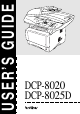
Table Of Contents
- USER'S GUIDE DCP-8020 DCP-8025D
- Brother numbers
- Ordering accessories and supplies
- Safety precautions
- Choosing a location
- Table of Contents
- 1 Introduction
- 2 Paper
- 3 On-screen programming
- 4 Getting started
- 5 Making copies
- 6 Using the DCP as a printer
- 7 Printer driver settings
- 8 How to scan using Windows®
- Scanning a document
- Scanning a document (For Windows® XP only)
- Using the scan key (For USB or Parallel interface cable users)
- Using ScanSoft® PaperPort® and TextBridge® OCR
- 9 Using the Brother Control Center (For Windows® 95/98/98SE/Me/2000 Professional and Windows NT® WS...
- 10 Using the Windows®-Based Brother SmartUI Control Center (For Windows® XP)
- 11 Using your DCP with a Macintosh®
- Setting up your USB-equipped Apple® Macintosh®
- Using the Brother printer driver with your Apple® Macintosh® (Mac OS® 8.6 - 9.2)
- Using the Brother Printer Driver with Your Apple® Macintosh® (Mac OS® X)
- Using the PS driver with your Apple® Macintosh®
- Using the Brother TWAIN scanner driver with your Macintosh®
- Using Presto!® PageManager®
- 12 Network Scanning (Windows® 98/98SE/Me/2000 Professional and XP only)
- 13 Important information
- 14 Troubleshooting and routine maintenance
- 15 Optional accessories
- Glossary
- Specifications
- Index
- brother US

ii
Brother fax back system (USA only)
Brother has installed an easy-to-use fax back system, so you can get
instant answers to common technical questions and product information for
all Brother products. This system is available 24 hours a day, 7 days a
week. You can use the system to send faxes to any fax machine.
Ordering accessories and supplies
For best quality results use only genuine Brother accessories, which are
available at most Brother retailers. If you cannot find the accessory you
need and you have a Visa, MasterCard, Discover, or American Express
credit card, you can order accessories directly from Brother. (In the USA,
you can visit us online for a complete selection of the Brother accessories
and supplies that are available for purchase.)
In USA only: 1-800-521-2846
In USA: 1-888-879-3232 (voice)
1-800-947-1445 (fax)
In Canada: 1-877-BROTHER (voice)
Description Item
Toner Cartridge TN-530 (Standard, Prints up to 3,300 pages)
TN-560 (High yield, Prints up to 6,500 pages)
Drum Unit DR-500
IEEE-1284 Bi-directional Cable F2A046-10
Power Protector for A/C Power, Phone
Line Surges and Voltage Spikes (2 outlets)
QPD120
Power Protector for A/C Power, Phone
Line Surges and Voltage Spikes (8 outlets)
FX120
Paper Tray #2 (Option) LT-5000
Network (LAN) Board (Option)
Brother Print Server
(10/100 Base-TX Ethernet Network)
NC-9100h
User's Guide LE8867001
LF2044001 (French For Canada)
Quick Setup Guide LE8870001
LF2048001 (French For Canada)
http://www.brothermall.com
ORDERING ACCESSORIES AND SUPPLIES