
User`s guide
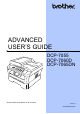
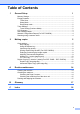

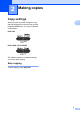
Table Of Contents
- ADVANCED USER’S GUIDE DCP-7055/DCP-7060D/DCP-7065DN
- Table of Contents
- 1 General Setup
- 2 Making copies
- A Routine maintenance
- B Glossary
- Index
- brother ARL/ASA/NZ/SAF/GLF

5
2
2
Copy settings 2
When you want to quickly change the copy
settings temporarily for the next copy, use the
temporary COPY keys. You can use different
combinations.
DCP-7055
2
DCP-7060D / DCP-7065DN 2
The machine returns to its default settings
one minute after copying.
Stop copying 2
To stop copying, press Stop/Exit.
Making copies 2