
User`s guide
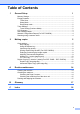

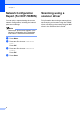
Table Of Contents
- ADVANCED USER’S GUIDE DCP-7055/DCP-7060D/DCP-7065DN
- Table of Contents
- 1 General Setup
- 2 Making copies
- A Routine maintenance
- B Glossary
- Index
- brother ARL/ASA/NZ/SAF/GLF

Chapter 1
4
Network Configuration
Report (For DCP-7065DN)
1
You can print a report showing the current
network configuration, including the internal
print server settings.
Note
Node name: Node name appears in the
Network Configuration List. The default
node name is “BRNXXXXXXXXXXXX”.
a Press Menu.
b Press a or b to choose 4.Machine
Info..
Press OK.
c Press a or b to choose 4.Network
Config.
Press OK.
d Press Start.
Scanning using a
scanner driver 1
For information about using a scanner driver,
see Scanning a document using the TWAIN
driver or Scanning a document using the WIA
driver in the Software User's Guide.