Quick Setup Guide
Manuals
Brands
Brother Manuals
All in One Printer
DCP-7065DN
5
6
7
8
9
10
11
12
13
14
Table Of Contents
快速安装指南 DCP-7055 / DCP-7057 / DCP-7060D
开始
1 打开设备包装,检查组件
2 移去设备上的包装材料
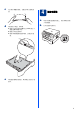
3 将纸张装入纸盒
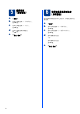
4 连接电源线
5 选择语言 (如有需要)
6 设置液晶显示屏对比度 (如有需要)
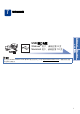
7 选择连接类型
USB 接口电缆用户
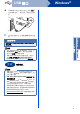
8 安装前的准备
9 安装 MFL-Pro Suite
USB 接口电缆用户 (Mac OS X 10.4.11 - 10.6.x)
8 安装前的准备
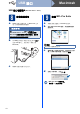
9 安装 MFL-Pro Suite
10 下载并安装 Presto! PageManager
其他信息
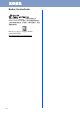
Brother CreativeCenter
耗材
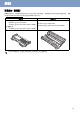
更换耗材(消耗品)
brother SCHN
11
Macintosh
USB
接口
Windows
®
USB
接口
Macintosh
10
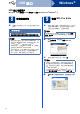
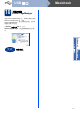
下载并安装
Presto!
PageManager
安装
Presto!
PageManager
后,
OCR
功能将添加到
Brother ControlCenter2
中。
通过
Presto!
PageM
anager
,您可以轻松地扫描、共享和
管理您的照片和文档。
在
Brother
技术支持
屏幕中,点击
Presto!
PageMa
nager
,然后遵循屏幕提示进行操
作。
完成
安装完成。
1
...
...
9
10
11
12
13
...
14