
User Manual
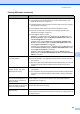
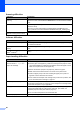
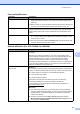
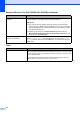
Table Of Contents
- BASIC USER’S GUIDE DCP-7060D/DCP-7065DN/HL-2280DW
- Brother numbers
- Ordering accessories and supplies
- Notice - Disclaimer of Warranties (USA and Canada)
- Compilation and Publication Notice
- Brother® One-Year Limited Warranty and Replacement Service (USA Only)
- BROTHER MULTIFUNCTION CENTER® / FAX MACHINELIMITED WARRANTY (Canada only)
- User’s Guides and where do I find it?
- Table of Contents
- 1 General information
- 2 Loading paper
- 3 Loading documents
- 4 Making copies
- 5 How to print from a computer
- 6 How to scan to a computer
- A Routine maintenance
- B Troubleshooting
- C Menu and features
- D Specifications
- Index
- brother USA/CAN

62
Your computer cannot find your
machine.
(Windows
®
) The firewall setting on your PC may be rejecting the necessary
network connection. (For details, see the instructions above.)
(Macintosh)
The computer may be unable to detect the machine due to the firewall
settings. Change or disable the firewall settings. If you are using a third-party
personal Firewall software, see the User's Guide for your software or contact
the software manufacturer.
Re-select your machine in the Device Selector application located in
Macintosh HD/Library/Printers/Brother/Utilities/Device Selector or from
the model list in ControlCenter2.
Cannot connect to wireless
network. (HL-2280DW)
Investigate the problem using the WLAN Report. Press Menu, press a or b to
choose 5.Machine Info. and press OK, press a or b to choose 5.WLAN
Report and press OK, and then press Start. For more details, see the Quick
Setup Guide.
Other
Difficulties Suggestions
The machine will not turn on. Adverse conditions on the power connection (such as lightning or a power surge)
may have triggered the machine’s internal safety mechanisms. Turn the machine
off and unplug the power cord. Wait for ten minutes, then plug in the power cord
and turn the machine on.
If the problem is not solved, turn off the machine. Plug the power cord into a
different known working outlet and turn on the machine.
Network difficulties (For DCP-7065DN / HL-2280DW) (continued)
Difficulties Suggestions