
User Manual


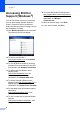
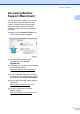
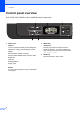
Table Of Contents
- BASIC USER’S GUIDE DCP-7060D/DCP-7065DN/HL-2280DW
- Brother numbers
- Ordering accessories and supplies
- Notice - Disclaimer of Warranties (USA and Canada)
- Compilation and Publication Notice
- Brother® One-Year Limited Warranty and Replacement Service (USA Only)
- BROTHER MULTIFUNCTION CENTER® / FAX MACHINELIMITED WARRANTY (Canada only)
- User’s Guides and where do I find it?
- Table of Contents
- 1 General information
- 2 Loading paper
- 3 Loading documents
- 4 Making copies
- 5 How to print from a computer
- 6 How to scan to a computer
- A Routine maintenance
- B Troubleshooting
- C Menu and features
- D Specifications
- Index
- brother USA/CAN

ix
Table of Contents
(BASIC USER'S GUIDE)
1 General information 1
Using the documentation....................................................................................... 1
Symbols and conventions used in the documentation .................................... 1
Accessing the Advanced User’s Guide, Software User’s Guide and
Network User’s Guide......................................................................................... 2
Viewing Documentation................................................................................... 2
Accessing Brother Support (Windows
®
)................................................................4
Accessing Brother Support (Macintosh) ................................................................5
Control panel overview ..........................................................................................6
2 Loading paper 8
Loading paper and print media .............................................................................. 8
Loading paper in the standard paper tray........................................................ 8
Loading paper in the manual feed slot ..........................................................10
Unscannable and unprintable areas..............................................................14
Paper settings...................................................................................................... 15
Paper Type ....................................................................................................15
Paper Size .....................................................................................................15
Acceptable paper and other print media..............................................................16
Recommended paper and print media ..........................................................16
Type and size of paper ..................................................................................16
Handling and using special paper .................................................................18
3 Loading documents 21
How to load documents .......................................................................................21
Using the automatic document feeder (ADF) (For DCP-7065DN) ................21
Using the scanner glass ................................................................................22
4 Making copies 24
How to copy .........................................................................................................24
Stop copying..................................................................................................24
Copy settings.................................................................................................24
5 How to print from a computer 25
Printing a document.............................................................................................25
6 How to scan to a computer 26
Scanning a document as PDF file using ControlCenter4 (Windows
®
) ................26
Changing the SCAN key settings ........................................................................29
Before scanning............................................................................................. 29
SCAN key settings......................................................................................... 29
Scanning using the SCAN key ......................................................................31