
User Manual
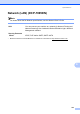
Table Of Contents
- BASIC USER’S GUIDE DCP-7055/DCP-7060D/DCP-7065DN
- User’s Guides and where do I find it?
- Table of Contents
- 1 General information
- 2 Loading paper
- 3 Loading documents
- 4 Making copies
- 5 How to print from a computer
- 6 How to scan to a computer
- A Routine maintenance
- B Troubleshooting
- C Menu and features
- D Specifications
- Index

Specifications
103
D
Network (LAN) (DCP-7065DN) D
Note
For details about the full Network specifications, see the Network User's Guide.
1
BRAdmin Professional and Web BRAdmin are available as a download from http://solutions.brother.com/.
LAN You can connect your machine to a network for Network Printing and
Network Scanning. Also included is Brother BRAdmin Light
1
Network
Management software.
Security Protocols
Wired APOP, POP before SMTP, SMTP-AUTH