
User`s guide


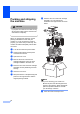
Table Of Contents
- USER’S GUIDE DCP-7030 DCP-7040
- Brother numbers
- Ordering accessories and supplies
- Notice - Disclaimer of Warranties (USA and Canada)
- Compilation and Publication Notice
- Brother® One-Year Limited Warranty and Replacement Service (USA Only)
- BROTHER MULTIFUNCTION CENTER /FAX MACHINE LIMITED WARRANTY (Canada only)
- Table of Contents
- Section I: General
- 1 General information
- 2 Loading paper and documents
- 3 General setup
- Section II: Copy
- Section III: Software
- Section IV: Appendixes
- A Safety and legal
- B Troubleshooting and routine maintenance
- C Menu and features
- D Specifications
- E Glossary
- Index
- brother USA/CAN

Troubleshooting and routine maintenance
75
B
b Slowly take out the drum unit and toner
cartridge assembly.
CAUTION
We recommend that you put the drum unit
and toner cartridge assembly on a clean,
flat surface with a piece of disposable paper
or cloth underneath it in case you
accidentally spill or scatter toner.
To prevent damage to the machine caused
by static electricity, DO NOT touch the
electrodes shown in the illustration.
c Push down the green lock lever and take
the toner cartridge out of the drum unit.
CAUTION
To avoid print quality problems, DO NOT
touch the shaded parts shown in the
illustrations.
Wait to unpack a new drum unit until
immediately before you put it in the
machine. Exposure to direct sunlight or
room light may damage the drum unit.
Note
Be sure to seal up the used drum unit
tightly in a bag so that toner powder does
not spill out of the unit.
d Unpack the new drum unit.