
User`s guide


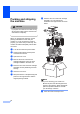
Table Of Contents
- USER’S GUIDE DCP-7030 DCP-7040
- Brother numbers
- Ordering accessories and supplies
- Notice - Disclaimer of Warranties (USA and Canada)
- Compilation and Publication Notice
- Brother® One-Year Limited Warranty and Replacement Service (USA Only)
- BROTHER MULTIFUNCTION CENTER /FAX MACHINE LIMITED WARRANTY (Canada only)
- Table of Contents
- Section I: General
- 1 General information
- 2 Loading paper and documents
- 3 General setup
- Section II: Copy
- Section III: Software
- Section IV: Appendixes
- A Safety and legal
- B Troubleshooting and routine maintenance
- C Menu and features
- D Specifications
- E Glossary
- Index
- brother USA/CAN

Troubleshooting and routine maintenance
73
B
f Put the new toner cartridge firmly into
the drum unit until you hear it lock into
place. If you put it in properly, the lock
lever will lift automatically.
CAUTION
Make sure that you put in the toner
cartridge properly or it may separate from
the drum unit.
g Clean the primary corona wire of the
drum unit by gently sliding the green tab
from right to left and left to right several
times.
CAUTION
Be sure to return the green tab to the home
position (a) (1). If you do not, printed pages
may have a vertical stripe.
h Put the drum unit and toner cartridge
assembly back in the machine.
i Close the front cover.
CAUTION
DO NOT turn off the machine’s power
switch or open the front cover until the LCD
returns to the standby state.
1