
Software User's Guide
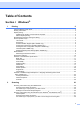
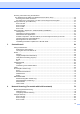
Table Of Contents
- SOFTWARE USER'S GUIDE MFC-7840W MFC-7440N MFC-7340 MFC-7345N DCP-7040 DCP-7030
- Table of Contents
- Section I Windows®
- 1 Printing
- Using the Brother printer driver
- Printing a document
- Duplex printing
- Simultaneous scanning, printing and faxing
- Printer operation keys
- Status Monitor
- Printer driver settings
- Features in the Windows® printer driver
- Features in the BR-Script (PostScript® 3 ™ language emulation) printer driver (MFC-7840W only)
- 2 Scanning
- Scanning a document using the TWAIN driver
- Scanning a document using the WIA driver (For Windows® XP/ Windows Vista®)
- Scanning a document using the WIA driver (For Windows Photo Gallery and Windows Fax and Scan users)
- Using the Scan key (For USB users)
- Using ScanSoft™ PaperPort™ 11SE with OCR by NUANCE™
- 3 ControlCenter3
- 4 Network Scanning (For models with built-in network)
- 5 Remote Setup (MFC models only)
- 6 Brother PC-FAX Software (MFC models only)
- 7 Firewall settings (For Network users)
- 1 Printing
- Section II Apple® Macintosh®
- 8 Printing and Faxing
- Printer operation key
- Status Monitor
- Features in the printer driver (For Macintosh®)
- Removing the Printer driver for Macintosh®
- Using the BR-Script3 Driver (MFC-7840W only) (Post Script® 3 ™ language emulation printer driver)
- Features in the BR-Script (PostScript® 3 ™ language emulation) printer driver (MFC-7840W only)
- Sending a fax (MFC models only)
- 9 Scanning
- 10 ControlCenter2
- 11 Network Scanning
- 12 Remote Setup
- 8 Printing and Faxing
- Index
- brother USA

iv
Scan to File........................................................................................................................................84
Scan to FTP (MFC-7440N and MFC-7840W only)............................................................................85
Scan to FTP Manual Method.............................................................................................................88
5 Remote Setup (MFC models only) 90
Remote Setup..........................................................................................................................................90
6 Brother PC-FAX Software (MFC models only) 92
PC-FAX sending .....................................................................................................................................92
Setting up user information................................................................................................................92
Sending setup....................................................................................................................................93
Setting up a cover page.....................................................................................................................94
Entering cover page information........................................................................................................95
Sending a file as a PC-FAX using the Facsimile style user interface................................................95
Sending a file as a PC-FAX using the Simple style user interface ....................................................96
Address Book ..........................................................................................................................................98
Brother Address Book .......................................................................................................................99
Setting up a member in the Address Book ........................................................................................99
Speed Dial setup .............................................................................................................................100
Setting up a group for broadcasting ................................................................................................101
Editing member information.............................................................................................................102
Deleting a member or group............................................................................................................102
Exporting the Address Book ............................................................................................................102
Importing to the Address Book ........................................................................................................104
PC-FAX receiving ..................................................................................................................................105
Enabling PC-FAX Receiving software on your machine .................................................................106
Running the PC-FAX Receiving software on your PC.....................................................................106
Setting up your PC ..........................................................................................................................107
Configuring the Network PC-FAX Receiving Settings .....................................................................108
Viewing new PC-FAX messages.....................................................................................................109
7 Firewall settings (For Network users) 110
Before using the Brother software .........................................................................................................110
For Windows
®
XP SP2 users ..........................................................................................................110
For Windows Vista
®
users...............................................................................................................112
Section II Apple
®
Macintosh
®
8 Printing and Faxing 116
Printer operation key .............................................................................................................................116
Job Cancel.......................................................................................................................................116
Secure Key .....................................................................................................................................116
Printer Emulation Support (MFC-7840W only) ................................................................................117
Printing the Internal Font List (MFC-7840W only) ...........................................................................118
Printing the Print Configuration List (MFC-7840W only)..................................................................118
Test Print (MFC-7840W only)..........................................................................................................118
Restoring default printer settings (MFC-7840W only) .....................................................................119