
Software User's Guide

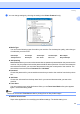
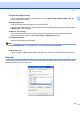
Table Of Contents
- SOFTWARE USER'S GUIDE MFC-7840W MFC-7440N MFC-7340 MFC-7345N DCP-7040 DCP-7030
- Table of Contents
- Section I Windows®
- 1 Printing
- Using the Brother printer driver
- Printing a document
- Duplex printing
- Simultaneous scanning, printing and faxing
- Printer operation keys
- Status Monitor
- Printer driver settings
- Features in the Windows® printer driver
- Features in the BR-Script (PostScript® 3 ™ language emulation) printer driver (MFC-7840W only)
- 2 Scanning
- Scanning a document using the TWAIN driver
- Scanning a document using the WIA driver (For Windows® XP/ Windows Vista®)
- Scanning a document using the WIA driver (For Windows Photo Gallery and Windows Fax and Scan users)
- Using the Scan key (For USB users)
- Using ScanSoft™ PaperPort™ 11SE with OCR by NUANCE™
- 3 ControlCenter3
- 4 Network Scanning (For models with built-in network)
- 5 Remote Setup (MFC models only)
- 6 Brother PC-FAX Software (MFC models only)
- 7 Firewall settings (For Network users)
- 1 Printing
- Section II Apple® Macintosh®
- 8 Printing and Faxing
- Printer operation key
- Status Monitor
- Features in the printer driver (For Macintosh®)
- Removing the Printer driver for Macintosh®
- Using the BR-Script3 Driver (MFC-7840W only) (Post Script® 3 ™ language emulation printer driver)
- Features in the BR-Script (PostScript® 3 ™ language emulation) printer driver (MFC-7840W only)
- Sending a fax (MFC models only)
- 9 Scanning
- 10 ControlCenter2
- 11 Network Scanning
- 12 Remote Setup
- 8 Printing and Faxing
- Index
- brother USA

Printing
29
1
High Quality Image Printing
You can increase the quality of image printing. If you set High Quality Image Printing to On, the
printing speed will be slower.
Reduce Paper Curl
If you choose this setting, the paper curl may be reduced.
If you print only a few pages, you do not need to choose this setting. Change the printer driver setting
in Media Type to a thin setting.
Improve Toner Fixing
If you choose this setting, the toner fixing on paper may be improved. If this selection does not
improve the situation enough, select Thicker paper in Media type settings.
Density adjustment
Increase or decrease the print density.
Note
The Density adjustment is not available when you set the resolution to HQ 1200.
BR-Script Level
You can change the BR-script emulation language level. Choose the level from the drop-down list.
Ports tab 1
If you want to change the port where your printer is connected or the path to the network printer you are using,
choose or add the port you want to use.