
Software User's Guide
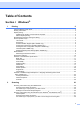
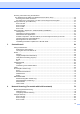
Table Of Contents
- SOFTWARE USER'S GUIDE MFC-7840W MFC-7440N MFC-7340 MFC-7345N DCP-7040 DCP-7030
- Table of Contents
- Section I Windows®
- 1 Printing
- Using the Brother printer driver
- Printing a document
- Duplex printing
- Simultaneous scanning, printing and faxing
- Printer operation keys
- Status Monitor
- Printer driver settings
- Features in the Windows® printer driver
- Features in the BR-Script (PostScript® 3 ™ language emulation) printer driver (MFC-7840W only)
- 2 Scanning
- Scanning a document using the TWAIN driver
- Scanning a document using the WIA driver (For Windows® XP/ Windows Vista®)
- Scanning a document using the WIA driver (For Windows Photo Gallery and Windows Fax and Scan users)
- Using the Scan key (For USB users)
- Using ScanSoft™ PaperPort™ 11SE with OCR by NUANCE™
- 3 ControlCenter3
- 4 Network Scanning (For models with built-in network)
- 5 Remote Setup (MFC models only)
- 6 Brother PC-FAX Software (MFC models only)
- 7 Firewall settings (For Network users)
- 1 Printing
- Section II Apple® Macintosh®
- 8 Printing and Faxing
- Printer operation key
- Status Monitor
- Features in the printer driver (For Macintosh®)
- Removing the Printer driver for Macintosh®
- Using the BR-Script3 Driver (MFC-7840W only) (Post Script® 3 ™ language emulation printer driver)
- Features in the BR-Script (PostScript® 3 ™ language emulation) printer driver (MFC-7840W only)
- Sending a fax (MFC models only)
- 9 Scanning
- 10 ControlCenter2
- 11 Network Scanning
- 12 Remote Setup
- 8 Printing and Faxing
- Index
- brother USA

ii
Table of Contents
Section I Windows
®
1Printing 2
Using the Brother printer driver..................................................................................................................2
Printing a document...................................................................................................................................3
Duplex printing...........................................................................................................................................4
Guidelines for printing on both sides of the paper ...............................................................................4
Manual duplex printing ........................................................................................................................4
Simultaneous scanning, printing and faxing ..............................................................................................4
Printer operation keys................................................................................................................................5
Job Cancel...........................................................................................................................................5
Secure Key..........................................................................................................................................5
Printer Emulation Support (MFC-7840W only) ....................................................................................6
Printing the Internal Font List (MFC-7840W only) ...............................................................................7
Printing the Print Configuration List (MFC-7840W only)......................................................................7
Test Print (MFC-7840W only)..............................................................................................................7
Restoring default printer settings (MFC-7840W only) .........................................................................8
Status Monitor............................................................................................................................................9
Monitoring the machine’s status ..........................................................................................................9
Printer driver settings...............................................................................................................................10
Features in the Windows
®
printer driver..................................................................................................11
Basic tab............................................................................................................................................11
Advanced tab.....................................................................................................................................14
Print Quality .......................................................................................................................................15
Duplex Printing ..................................................................................................................................16
Watermark .........................................................................................................................................17
Page Setting ......................................................................................................................................19
Device Options ..................................................................................................................................20
Support tab........................................................................................................................................22
Tray Settings .....................................................................................................................................23
Features in the BR-Script (PostScript
®
3 ™ language emulation) printer driver
(MFC-7840W only) ...............................................................................................................................25
Printing Preferences ..........................................................................................................................25
Advanced options ..............................................................................................................................27
Ports tab ...........................................................................................................................................29
2 Scanning 30
Scanning a document using the TWAIN driver........................................................................................30
Scanning a document into the PC .....................................................................................................30
Pre-Scanning to crop a portion you want to scan..............................................................................32
Settings in the Scanner Setup dialog box..........................................................................................33
Scanning a document using the WIA driver (For Windows
®
XP/ Windows Vista
®
).................................37
WIA compliant ...................................................................................................................................37
Scanning a document into the PC .....................................................................................................37
Pre-Scanning to crop a portion you want to scan using the scanner glass .......................................39