
User Manual


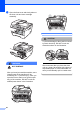


Table Of Contents
- USER’S GUIDE DCP-7030 DCP-7040
- Compilation and Publication Notice
- Table of Contents
- Section I: General
- General information
- Loading paper and documents
- General setup
- Section II: Copy
- Section III: Software
- Section IV: Appendixes
- Index
- brother CHN-ENG

64
To prevent damage to the machine caused
by static electricity, DO NOT touch the
electrodes shown in the illustration.
d Clean the corona wire inside the drum
unit by gently sliding the green tab from
right to left and left to right several times.
CAUTION
Be sure to return the green tab to the home
position (a) (1). If you do not, printed pages
may have a vertical stripe.
e Put the drum unit and toner cartridge
assembly back in the machine.
f Close the front cover.
g Plug the machine’s power cord back into
the electrical socket first, and then
reconnect all cables. Turn on the
machine’s power switch.
CAUTION
To avoid print quality problems, DO NOT
touch the shaded parts shown in the
illustrations below.
Cleaning the drum unit B
If you have print quality problems, clean the
drum unit as follows.
a Turn off the machine’s power switch.
Unplug the power cord from the
electrical socket.
b Open the front cover.
1