
Manual



Using the machine as a printer
1 - 7
1
Restoring default settings
You can return the machine to the default settings. Fonts and macros in the temporary settings are cleared.
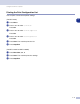
(For DCP-7025)
1 Press Menu.
2 Press ▲ or ▼ to select 3.Printer.
Press Set.
3 Press ▲ or ▼ to select 3.Reset Printer.
Press Set.
4 Press ▲ to select Reset.
—OR—
Press
▼ to select Exit without making a change.
5 Press Stop/Exit.
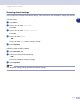
(For MFC-7225N and MFC-7820N)
1 Press Menu/Set, 4, 3.
2 Press 1 to restore the default settings.
—OR—
Press 2 to exit without making a change.
3 Press Stop/Exit.
Note
Only the printer settings will be returned to the default settings.