
User`s guide


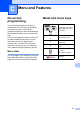


Table Of Contents
- USER’S GUIDE DCP-385C DCP-383C DCP-387C DCP-585CW
- Compilation and Publication Notice
- EC Declaration of Conformity under the R & TTE Directive
- Table of Contents
- Section I: General
- 1 General Information
- 2 Loading documents and paper
- 3 General setup
- Section II: Copy
- 4 Making copies
- Section III: Direct Photo Printing
- Section IV: Software
- Section V: Appendixes
- Index
- brother UK/IRE/GEN/SAF

87
C
C
On-screen
programming
C
Your machine is designed to be easy to
operate with LCD on-screen programming
using the menu keys. User-friendly
programming helps you take full advantage of
all the menu selections your machine has to
offer.
Since your programming is done on the LCD,
we have created step-by-step on-screen
instructions to help you program your
machine. All you need to do is follow the
instructions as they guide you through the
menu selections and programming options.
Menu table C
You can program your machine by using the
Menu table that begins on page 88. These
pages list the menu selections and options.
Mode and menu keys C
Menu and Features C
Access the main menu,
PhotoCapture menu or
Scan menu.
a
b
Scroll through the
current menu level.
d
Go back to the previous
menu level.
c
Go to the next menu
level.
Go to the next menu
level.
Accept an option.
Stop the current
operation.