
User Manual




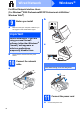
Table Of Contents
- Quick Setup Guide DCP-585CW
- Start Here
- For USB Interface Users (For Windows® 2000 Professional/XP/XP Professional x64 Edition/ Windows Vista®)
- For USB Interface Users (For Mac OS® X 10.2.4 or greater)
- For Wired Network Interface Users (For Windows® 2000 Professional/XP/XP Professional x64 Edition/ Windows Vista®)
- For Wired Network Interface Users (For Mac OS® X 10.2.4 or greater)
- For Wireless Network Interface Users
- 9 Before you begin
- 10 Confirm your network environment (Infrastructure Mode)
- Connecting the Brother machine to the wireless network
- Install the Drivers & Software (For Windows® 2000 Professional/XP/XP Professional x64 Edition/ Windows Vista®)
- Install the Drivers & Software (For Mac OS® X 10.2.4 or greater)
- Install Optional Applications Windows®
- For Wireless Network Users
- Safety and Legal
- brother EEU-ENG

7
Windows
®
USB
Windows
®
Macintosh
®
USB
d
12
Connect the power cord
a Connect the power cord.
The installation will continue automatically.
The installation screens appear one after
another.
b When the On-Line Registration screen is
displayed, make your selection and follow the
on-screen instructions.
13
Finish and restart
a Click Finish to restart your computer.
After restarting the computer, you must be
logged on with Administrator rights.
Now go to
Proceed to Install Optional Applications on
page 20.
2
1
3
Important
DO NOT cancel any of the screens during the
installation. It may take a few seconds for all
screens to appear.
Finish
The installation is now
complete.