
User Manual





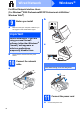
Table Of Contents
- Quick Setup Guide DCP-585CW
- Start Here
- For USB Interface Users (For Windows® 2000 Professional/XP/XP Professional x64 Edition/ Windows Vista®)
- For USB Interface Users (For Mac OS® X 10.2.4 or greater)
- For Wired Network Interface Users (For Windows® 2000 Professional/XP/XP Professional x64 Edition/ Windows Vista®)
- For Wired Network Interface Users (For Mac OS® X 10.2.4 or greater)
- For Wireless Network Interface Users
- 9 Before you begin
- 10 Confirm your network environment (Infrastructure Mode)
- Connecting the Brother machine to the wireless network
- Install the Drivers & Software (For Windows® 2000 Professional/XP/XP Professional x64 Edition/ Windows Vista®)
- Install the Drivers & Software (For Mac OS® X 10.2.4 or greater)
- Install Optional Applications Windows®
- For Wireless Network Users
- Safety and Legal
- brother EEU-ENG

2
2
Load plain A4 paper
a Pull the paper tray completely out of the
machine.
b Open the paper tray cover.
c With both hands, gently press and slide the
paper side guides a and then the paper length
guide b to fit the paper size.
Make sure that the triangular marks c on the
paper side guides a and paper length guide b
line up with the mark for the paper size you are
using.
d Fan the stack of paper well to avoid paper jams
and misfeeds.
e Check that the paper is flat in the tray.
f Gently adjust the paper side guides to the
paper with both hands.
g Close the paper tray cover.
h Slowly push the paper tray completely into the
machine.
i While holding the paper tray in place, pull out
the paper support until it clicks, and then unfold
the paper support flap.
3
Connect the power cord
a Connect the power cord.
WARNING
The machine must be fitted with an earthed
plug.
4
Choose your language
a Press a or b to choose your language and
press OK.
b Choose Yes or No and press OK.
Important
Do not push the paper in too far.
1
3
3
2
Important
DO NOT connect the USB cable yet (if you are
using a USB cable).
Note
The control panel warning LED will stay on until
you have installed the ink cartridges.