
Multi-Function Printer User's Guide

86
Cleaning the scanner glass B
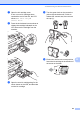
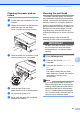
a Lift the document cover (1). Clean the
scanner glass (2) and the white
plastic (3) with a soft lint-free cloth
moistened with a non-flammable glass
cleaner.
Cleaning the machine’s
printer platen B
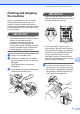
CAUTION
Be sure to unplug the machine from the
electrical socket before cleaning the printer
platen (1).
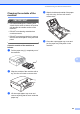
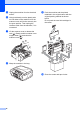
a Lift the scanner cover until it locks
securely into the open position.
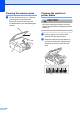
b Clean the machine’s printer platen (1)
and the area around it, wiping off any
scattered ink with a dry lint-free soft
cloth.
2
1
3
1