Printer User Manual
Manuals
Brands
Brother Manuals
All in One Printer
Brother Printer DCP-8045D
121
122
123
124
125
126
127
128
129
130
7 - 10
USING YOUR MACHINE WITH A MACINTOSH
®
7
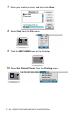
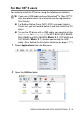
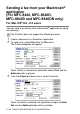
Enter your machine name, and then click
Sa
ve
.
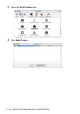
8
Select
Quit
from the
File
menu.
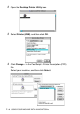
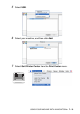
9
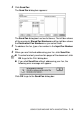
Click the
MFC-8840D
icon on the Desktop.
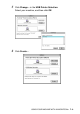
10
Select
Set
Default Printer
from the
Printi
ng
menu.
1
...
...
123
124
125
126
127
...
...
179