
user manual
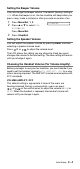
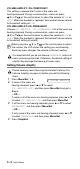


Table Of Contents
- USER’S GUIDE
- Brother numbers
- Ordering accessories and supplies
- Safety precautions
- Choosing a location
- Quick Reference Guide
- Table of Contents
- 1 Introduction
- 2 Paper
- 3 On-Screen Programming
- 4 Initial Setup
- Getting started
- Setting the Date and Time
- Turning on Automatic Daylight Savings Time
- Setting the Station ID
- Setting the Beeper Volume
- Setting the Speaker Volume
- Choosing the Handset Volume (For Volume Amplify)
- Setting Volume Amplify
- Setting the Ring Volume
- Setting Tone and Pulse dialing mode (Canada Only)
- Setting up your area code (USA only)
- Getting started
- 5 Setup Receive
- 6 Setup Send
- 7 Quick-Dial numbers and dialing options
- 8 Remote Fax Options
- 9 Printing reports
- 10 Making copies
- 11 Important information
- 12 Troubleshooting and routine maintenance
- Glossary
- Specifications
- Index
- Remote Retrieval Access Card

Initial Setup
4 - 4
Setting the Beeper Volume
You can change the beeper volume. The default (factory) setting is
LOW. When the beeper is on, the fax machine will beep when you
press a key, make a mistake or after you send or receive a fax.
1
Press Menu/Set, 1, 3.
2
Press ▲ or ▼ to select LOW,
HIGH or OFF.
Press Menu/Set.
3
Press Stop/Exit.
Setting the Speaker Volume
You can adjust the speaker volume by pressing Hook, and then
selecting a speaker volume level.
Press or to adjust the volume level.
The LCD shows the setting you are choosing. Each key press
changes the volume to the next setting. The new setting will remain
until you change it again.
Choosing the Handset Volume (For Volume Amplify)
Before you begin to use your fax machine, you must decide if you
need to set the handset volume to VOL AMPLIFY: ON? for a user
who is hearing-impaired. The AMPLIFY volume level complies with
FCC standards.
VOLUME AMPLIFY: OFF
This default setting is appropriate if none of the users are
hearing-impaired. During a conversation, users can press
or on the control panel to adjust the volume to LOW or
HIGH. When the handset is replaced, the handset volume will
remain until you change it again.
3.BEEPER
▲
▲
▲
▲