
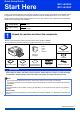
user manual

2
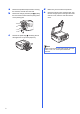
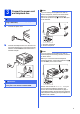
a Remove the protective tape and film covering
the machine, and also from the LCD.
b Remove the orange protective part a by lifting
the front of the machine and then pulling down
on the packing part.
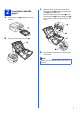
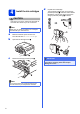
c
Remove
the plastic bag b containing the ink
cartridges from on top of the paper tray.
d Make sure you have all the components.
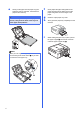
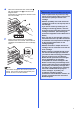
e Open the scanner cover, insert the Disc Tray
into the storage space on the right side of the
scanner cover, and then close the scanner
cover.
1
2
Note
When using the Disk Print feature make sure that
there is over 4 in. of free space behind the
machine.