
user manual

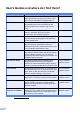
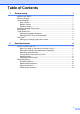
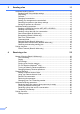
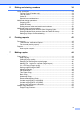

Table Of Contents
- Advanced User’s Guide MFC-J4510DW MFC-J4710DW
- User's Guides and where do I find them?
- Table of Contents
- 1 General setup
- 2 Security features
- 3 Sending a fax
- Additional sending options
- Additional sending operations
- Sending a 2-sided fax from the ADF (MFC-J4710DW)
- Sending a fax manually
- Sending a fax at the end of a conversation
- Dual Access (Black & White only)
- Broadcasting (Black & White only)
- Real Time Transmission
- Overseas Mode
- Delayed Faxing (Black & White only)
- Delayed Batch Transmission (Black & White only)
- Checking and canceling waiting jobs
- Polling overview
- 4 Receiving a fax
- 5 Dialing and storing numbers
- 6 Printing reports
- 7 Making copies
- Copy options
- Stop copying
- Changing copy quality
- Enlarging or reducing the copied image
- Making N in 1 copies or a poster (Page Layout)
- 2 in 1 ID Copy (Page Layout)
- Sorting copies using the ADF
- Adjusting Density
- Ink Save Mode
- Thin Paper Copy
- Book Copy
- Watermark Copy
- Remove Background Color
- 2-sided copying (MFC-J4510DW)
- 2-sided copying (MFC-J4710DW)
- Saving copy options as a Shortcut
- Ledger Copy Shortcuts
- Copy options
- 8 PhotoCapture Center™: Printing photos from a memory card or USB Flash memory drive
- 9 Printing photos from a camera
- A Routine maintenance
- B Glossary
- Index
- brother USA/CAN
General setup
3
1
Automatic Daylight
Saving Time
1
You can set the machine to change
automatically for daylight saving time. It will
reset itself forward one hour in the Spring and
backward one hour in the Fall. Make sure you
have set the correct date and time in the
Date & Time setting.
The factory setting is Off, so you will have to
turn on Automatic Daylight Saving Time as
follows.
a Press .
b Press .
c Swipe up or down, or press a or b to
display Auto Daylight.
d Press Auto Daylight.
e Press On (or Off).
f Press .
Sleep Mode 1
You can choose how long the machine must
be idle (up to 60 minutes) before it goes into
Sleep Mode. The timer will restart if any
operation is carried out on the machine.
a Press .
b Press All Settings.
c Swipe up or down, or press a or b to
display General Setup.
d Press General Setup.
e Swipe up or down, or press a or b to
display Sleep Mode.
f Press Sleep Mode.
g Swipe up or down, or press a or b to
display 1Min, 2Mins, 3Mins, 5Mins,
10Mins, 30Mins or 60Mins to choose
the length of time the machine must be
idle before entering Sleep Mode. Press
the option you want to set.
h Press .